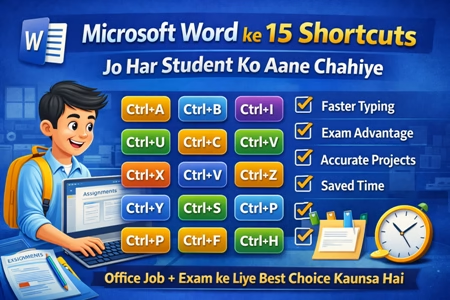
Microsoft Word ke 15 Shortcuts- Aaj ke time me assignments, project files, notes, resume aur exams – sab kuch Microsoft Word par depend karta hai।
Agar aap student hain aur MS Word shortcuts nahi jaante, to aap time waste kar rahe hain।
Is blog me hum 15 most important MS Word shortcuts cover karenge jo speed, accuracy aur confidence teeno badha dete hain।
⏱ MS Word Shortcuts Kyun Zaroori Hain?
✔ Typing speed fast hoti hai
✔ Exam me time save hota hai
✔ Professional look milta hai
✔ Mouse use kam hota hai
✔ Office & computer exams me advantage
🔑 Microsoft Word ke 15 Must-Know Shortcuts
1️⃣ Ctrl + A – Select All
Pura document select karne ke liye.
2️⃣ Ctrl + B – Bold Text
Important words ya headings ke liye.
3️⃣ Ctrl + I – Italic Text
Highlight ya emphasis ke liye.
4️⃣ Ctrl + U – Underline
Headings ya key terms underline karne ke liye.
5️⃣ Ctrl + C – Copy
Selected text ya content copy karta hai.
6️⃣ Ctrl + V – Paste
Copy kiya hua text paste karta hai.
7️⃣ Ctrl + X – Cut
Text ko move karne ke liye best shortcut.
8️⃣ Ctrl + Z – Undo
Galti ho jaye to ek step peeche jane ke liye.
9️⃣ Ctrl + Y – Redo
Undo kiya hua kaam wapas lane ke liye.
🔟 Ctrl + S – Save
Document ko turant save karta hai (MOST IMPORTANT 🔥).
1️⃣1️⃣ Ctrl + P – Print
Print preview & print command ke liye.
1️⃣2️⃣ Ctrl + F – Find
Document me kisi word ko search karne ke liye.
1️⃣3️⃣ Ctrl + H – Find & Replace
Repeated words ko ek saath replace karne ke liye.
️⃣4️⃣ Ctrl + L / Ctrl + E / Ctrl + J
Ctrl + L → Left Align
Ctrl + E → Center Align
Ctrl + J → Justify
1️⃣5️⃣ Ctrl + 1 / Ctrl + 1.5 / Ctrl + 2
Single, 1.5 & Double Line Spacing
(Assignments & projects ke liye very important)
📚 Ye Shortcuts Kis-Kis Ke Liye Useful Hain?
✔ School & college students
✔ CCC / O Level learners
✔ Computer course students
✔ Office job aspirants
✔ Competitive exam candidates
🚀 MS Word Shortcut Skill = Extra Advantage
Jo student shortcuts use karta hai:
- Fast kaam karta hai
- Zyada accurate hota hai
- Teacher / interviewer par impression chhodta hai
🔚 Final Words
Agar aap sirf 15 shortcuts bhi daily use karne lag jate hain, to aapka MS Word skill next level par chala jayega।
👉 Shortcut seekhiye, time bachaiye, result improve kijiye।