Table of Contents
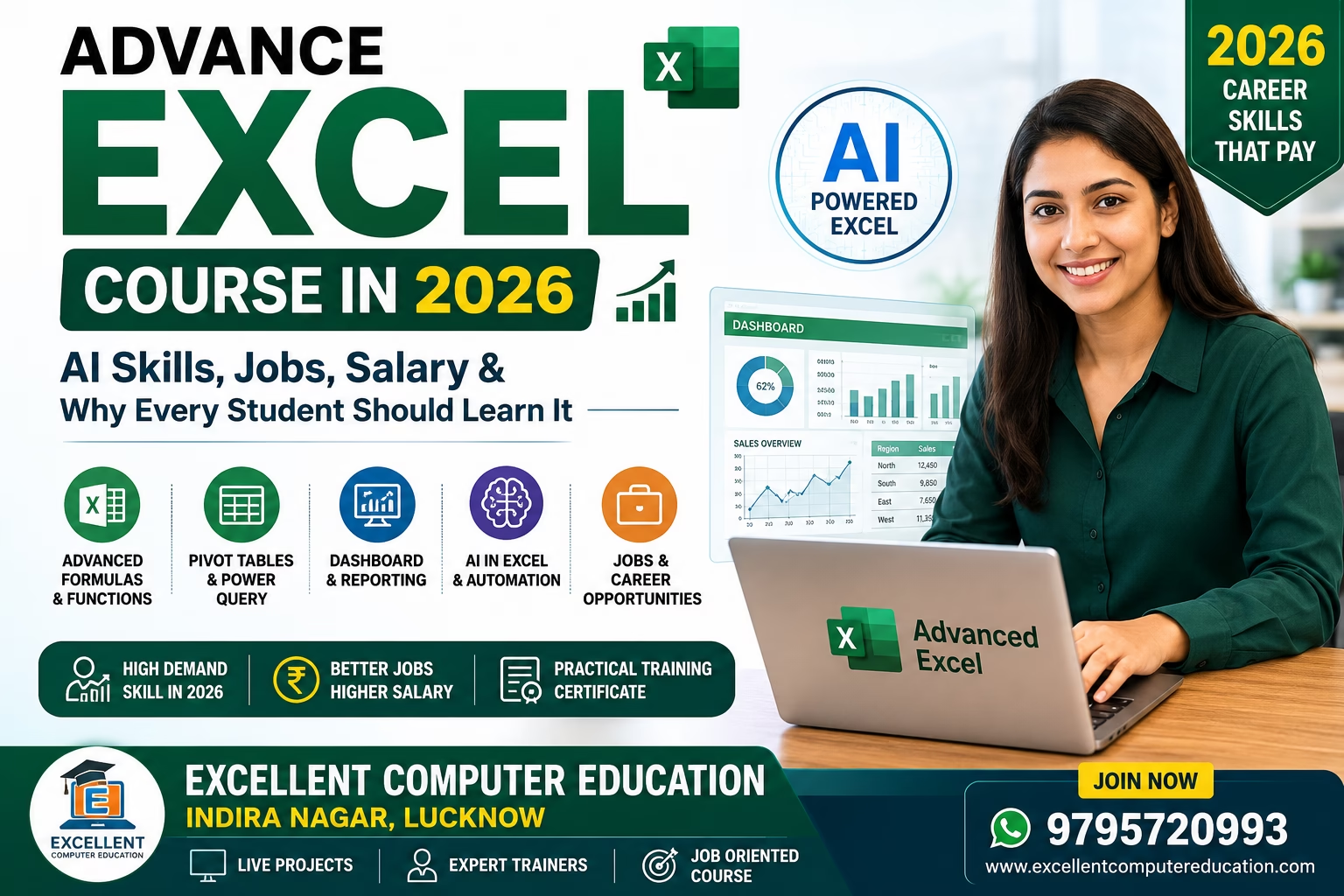
ToggleAdvance Excel Course in 2026: Why Every Student and Professional Should Learn It
In 2026, Microsoft Excel is no longer just a spreadsheet application. With AI-powered tools, advanced data analysis, Power Query, Python integration, and business dashboards, Excel has become one of the most valuable workplace skills.
Whether you are a student, accountant, office executive, business owner, data analyst, or preparing for government or private jobs, Advanced Excel can significantly improve your productivity and career opportunities.
Recent Microsoft updates continue to expand Excel’s AI capabilities with Copilot-assisted editing, smarter formula assistance, workflow automation, and enhanced data analysis features.
Why Learn Advanced Excel in 2026?
Today’s companies expect employees to analyze data quickly instead of spending hours preparing reports.
Advanced Excel helps you:
- Create professional dashboards
- Analyze thousands of records within minutes
- Automate repetitive work
- Generate business reports
- Clean messy data automatically
- Build MIS Reports
- Prepare salary and payroll sheets
- Create GST and accounting reports
- Improve office productivity
Latest Advanced Excel Skills in 2026
AI with Excel
Modern Excel now includes AI-powered assistance that can:
- Suggest formulas
- Clean datasets
- Explain formulas
- Create charts automatically
- Summarize large data
- Generate Pivot Tables
AI is making Excel easier for beginners while helping advanced users automate complex workflows.
XLOOKUP
XLOOKUP is replacing VLOOKUP because it is:
- Faster
- More flexible
- Searches in any direction
- Returns exact matches
- Easier to maintain
- Power Query
- Power Query allows you to:
- Import multiple Excel files
- Clean data automatically
- Remove duplicates
- Merge reports
- Refresh reports with one click
- Dynamic Array Functions
Important functions include:
- FILTER()
- SORT()
- UNIQUE()
- SEQUENCE()
- RANDARRAY()
- TAKE()
- DROP()
- CHOOSECOLS()
These functions reduce the need for complicated formulas.
- Dashboard Creation
- A professional Excel Dashboard includes:
- KPI Cards
- Interactive Charts
- Slicers
- Timelines
- Conditional Formatting
- Dynamic Graphs
Dashboard skills are highly valued in business analytics and MIS roles.
- Power Pivot
- Power Pivot helps work with:
- Large datasets
- Data modeling
- Relationships
- Business Intelligence
- Advanced calculations
Python in Excel
Python integration enables advanced users to perform:
- Statistical analysis
- Machine learning
- Forecasting
- Data visualization
- Automation
- It bridges traditional spreadsheet work with advanced analytics.
Essential Advanced Excel Functions to Master
- XLOOKUP
- INDEX + MATCH
- FILTER
- UNIQUE
- SORT
- SUMIFS
- COUNTIFS
- IF
- IFS
- SWITCH
- LET
- LAMBDA
- TEXTJOIN
- TEXTSPLIT
- XMATCH
- OFFSET
- INDIRECT
Real-World Projects You Should Practice
- Employee Salary Management
- Student Fee Management System
- Inventory Management
- GST Report
- Sales Dashboard
- Attendance Management
- Payroll Sheet
- Invoice Generator
- Loan EMI Calculator
- Financial Dashboard
- Office MIS Report
Jobs After Learning Advanced Excel
You can apply for positions such as:
- MIS Executive
- Data Analyst
- Excel Executive
- Office Administrator
- Accounts Executive
- Finance Executive
- Operations Executive
- HR Executive
- Business Analyst (Entry Level)
- Reporting Executive
Salary After Learning Advanced Excel in India (2026)
Approximate monthly salary:
- Fresher: ₹18,000 – ₹30,000
- 2–5 Years Experience: ₹35,000 – ₹60,000
- MIS/Data Analyst: ₹50,000 – ₹90,000+
- Advanced BI & Analytics Roles: ₹1,00,000+ (depending on skills and experience)
- Actual salaries vary by city, company, industry, and additional skills.
Who Should Learn Advanced Excel?
This course is ideal for:
- Students
- Working Professionals
- Accountants
- Job Seekers
- Government Exam Aspirants
- Business Owners
- Teachers
- HR Professionals
- Banking Professionals
- Freelancers
Why Choose Excellent Computer Education?
At Excellent Computer Education, Indira Nagar, Lucknow, students receive practical, job-oriented training with live projects.
Course Highlights
- Latest 2026 Syllabus
- AI-enabled Excel Learning
- Dashboard Projects
- Power Query
- Pivot Tables
- Advanced Formulas
- MIS Reporting
- Interview Preparation
- Practical Assignments
- Certificate
- Small Batch Size
Frequently Asked Questions (FAQs)
Is Advanced Excel still worth learning in 2026?
Yes. Excel remains one of the most in-demand office skills, and AI is enhancing rather than replacing it. Professionals who understand Excel and AI workflows have a competitive advantage.
Can I get a job after learning Advanced Excel?
Yes. Many companies hire candidates with strong Excel skills for office administration, accounts, MIS, reporting, operations, and data analysis.
How long does it take to learn Advanced Excel?
Most learners can gain practical job-ready skills in 2–3 months with regular practice.
Do I need programming knowledge?
No. Basic computer knowledge is enough to start learning Advanced Excel.
Conclusion
Advanced Excel is one of the smartest career investments in 2026. With AI-powered features, dashboards, Power Query, XLOOKUP, Python integration, and business analytics, Excel has evolved into a complete productivity and data analysis platform.
If you want better job opportunities, higher salary potential, and stronger office skills, now is the best time to master Advanced Excel.
Join Excellent Computer Education – Indira Nagar, Lucknow
- Job-Oriented Advanced Excel Training
- Live Practical Projects
- Industry-Oriented Curriculum
- Experienced Trainers
- Placement Guidance
Call/WhatsApp: 9795720993