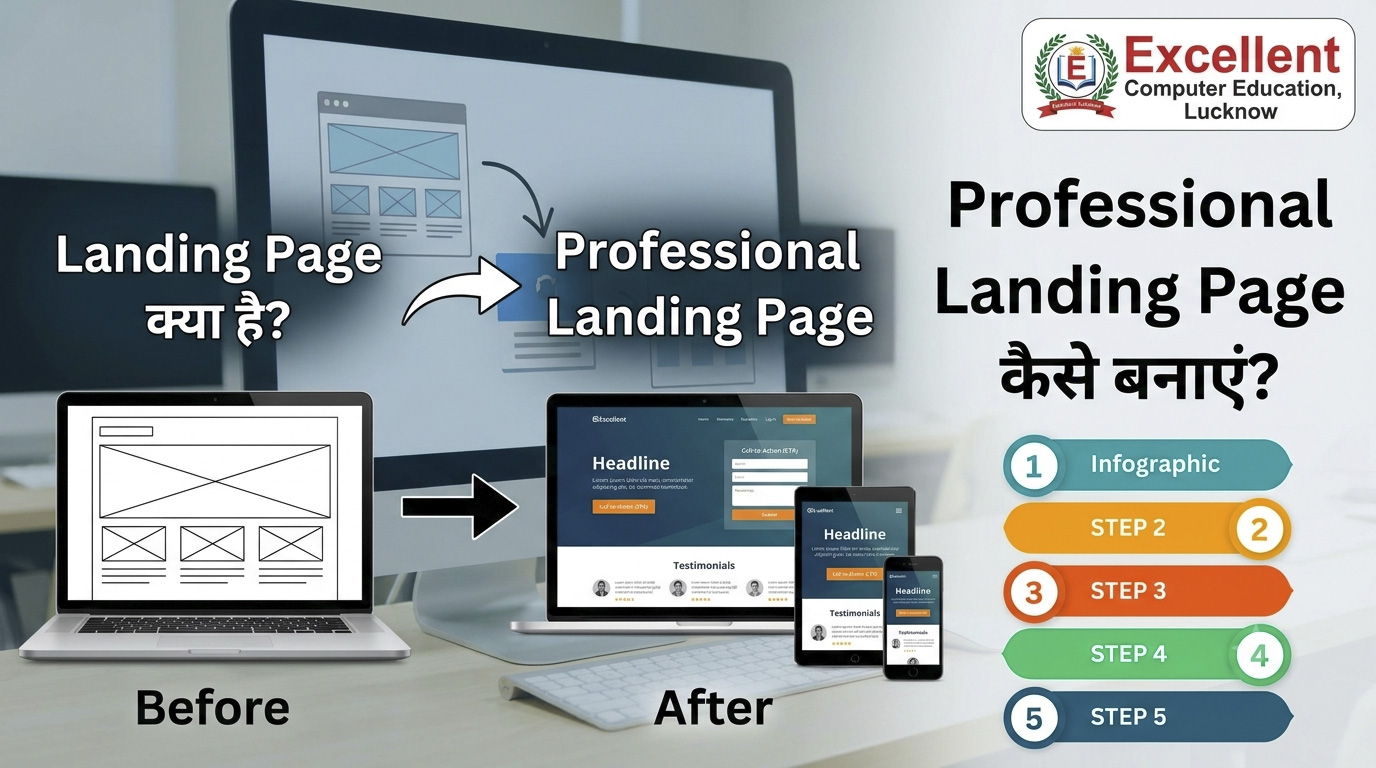
क्या आप चाहते हैं कि कोई Visitor आपकी Website पर आने के बाद सीधे Course Admission, Product Purchase, WhatsApp Enquiry या किसी Service के लिए संपर्क करे?
इसका एक प्रभावी तरीका है – Landing Page। एक अच्छी तरह Design किया गया Landing Page Visitors को एक स्पष्ट उद्देश्य की ओर मार्गदर्शन करता है और उन्हें Action लेने के लिए प्रेरित कर सकता है।
इस लेख में हम जानेंगे कि Landing Page क्या है, Website और Landing Page में क्या अंतर है, Professional Landing Page कैसे बनाएं, HTML से Landing Page कैसे तैयार करें और इससे अधिक Customers कैसे प्राप्त करें।
इस ब्लॉग में आप क्या सीखेंगे?
- Landing Page क्या होता है?
- Landing Page कैसे काम करता है?
- Website और Landing Page में अंतर।
- एक Professional Landing Page के जरूरी Elements।
- HTML और CSS से Landing Page कैसे बनाएं?
- Lead Generation Form और WhatsApp Button कैसे जोड़ें?
- Landing Page से अधिक Customers कैसे प्राप्त करें?
- Free Landing Page बनाने के Tools।
- Landing Page SEO और Conversion Optimization Tips।
1. Landing Page क्या है? (What is a Landing Page?)
Landing Page एक ऐसा Special Web Page होता है जिसे किसी एक विशेष Marketing Campaign, Product, Service या Business Goal के लिए बनाया जाता है। जब कोई व्यक्ति Google Ads, Facebook Ads, Instagram Ads, Email या किसी अन्य Link पर Click करता है, तो वह इस Page पर पहुँच सकता है।
Landing Page का मुख्य उद्देश्य Visitor को एक निर्धारित Action लेने के लिए प्रेरित करना होता है। उदाहरण के लिए:
- किसी Course में Admission लेना।
- Free Demo Class के लिए Register करना।
- WhatsApp पर Enquiry भेजना।
- Product खरीदना।
- Contact Form Submit करना।
- Free E-book या PDF Download करना।
2. Website और Landing Page में क्या अंतर है?
Website और Landing Page दोनों Online Presence के महत्वपूर्ण हिस्से हैं, लेकिन इनका उद्देश्य अलग-अलग हो सकता है।
| Website | Landing Page |
|---|---|
| कई Pages का Collection हो सकता है। | एक Specific Goal पर केंद्रित होता है। |
| Home, About, Services, Blog आदि होते हैं। | एक Product, Course या Offer को Promote करता है। |
| कई Navigation Links हो सकते हैं। | आमतौर पर Distractions कम रखे जाते हैं। |
| Brand Information और Content के लिए। | Enquiry, Registration या Sales के लिए। |
| Long-Term Online Presence। | Specific Campaign या Conversion Goal। |
3. Landing Page क्यों जरूरी है?
मान लीजिए आप Google या Facebook पर अपने Computer Course का Advertisement चलाते हैं। यदि Advertisement पर Click करने के बाद Visitor को Website के Homepage पर भेज दिया जाए, तो उसे अपनी जरूरत की जानकारी ढूँढने में समय लग सकता है।
इसके बजाय यदि उसे सीधे उसी Course के Landing Page पर भेजा जाए, तो वह Course की Details, Benefits और Enquiry Options आसानी से देख सकता है।
Landing Page के प्रमुख फायदे:
- More Leads: Enquiry और Registration प्राप्त करने में मदद।
- Better User Experience: Visitor को जरूरी जानकारी एक जगह मिलती है।
- Campaign Tracking: अलग-अलग Marketing Campaign की Performance समझ सकते हैं।
- Focused Marketing: एक विशेष Product या Service को Promote कर सकते हैं।
- Lead Collection: संभावित Customers की Contact Information प्राप्त कर सकते हैं।
- Conversion Improvement: सही Design और Content से Action लेने की संभावना बेहतर हो सकती है।
4. एक Professional Landing Page में कौन-कौन से Elements होने चाहिए?
एक प्रभावी Landing Page बनाने के लिए केवल सुंदर Design पर्याप्त नहीं है। उसमें Visitor की जरूरत के अनुसार सही Information और स्पष्ट CTA होना चाहिए।
Attractive Headline
Headline ऐसी होनी चाहिए जिससे Visitor को तुरंत समझ आ जाए कि आप क्या Offer कर रहे हैं।
Example: Advanced Excel Course सीखें और Practical Skills विकसित करें।
Clear Subheading
Headline के नीचे अपने Product या Service का मुख्य फायदा सरल भाषा में बताएं।
Product या Service Image
अपने Course, Product या Service को दर्शाने वाली Professional और Relevant Image जोड़ें।
Benefits और Features
Visitor को बताएं कि आपका Product या Course उसकी किस प्रकार मदद कर सकता है। केवल Features नहीं, वास्तविक फायदे भी समझाएं।
Call to Action (CTA)
CTA ऐसा Button या Link होता है जो Visitor को अगला कदम उठाने के लिए प्रेरित करता है।
CTA Examples: Apply Now, Get Free Demo, Enquire Now, Buy Now, WhatsApp Us।
Lead Generation Form
Form के माध्यम से Visitor का नाम, Mobile Number, Email या उसकी आवश्यक जानकारी प्राप्त की जा सकती है। केवल जरूरी Fields रखें।
Testimonials और Trust Signals
वास्तविक Student Feedback, Customer Reviews, Certificates और Verified Business Information से भरोसा बनाने में मदद मिलती है। किसी भी प्रकार के Fake Reviews या गलत दावे न दिखाएं।
5. Landing Page कैसे बनाएं? Step-by-Step Guide
Step 1: Landing Page का Goal निर्धारित करें
सबसे पहले तय करें कि आप Landing Page क्यों बना रहे हैं। क्या आपको Course Admission चाहिए, Product Sales चाहिए या WhatsApp Enquiries प्राप्त करनी हैं?
उदाहरण:
- Computer Institute – Free Demo Registration।
- Digital Marketing Agency – Client Enquiry।
- Online Store – Product Purchase।
- Freelancer – Project Enquiry।
Step 2: Target Audience को समझें
आपके संभावित Customers कौन हैं? उनकी जरूरतें, समस्याएं, Budget और Location समझने के बाद Landing Page का Content तैयार करें।
Step 3: Attractive Headline लिखें
Headline में अपने Offer और उसके मुख्य फायदे को स्पष्ट करें। अनावश्यक और भ्रामक दावों से बचें।
Step 4: Professional Design तैयार करें
Page में साफ-सुथरा Layout, सही Font Size, पर्याप्त White Space, Mobile-Friendly Design और स्पष्ट Buttons रखें।
Step 5: Enquiry Form और CTA जोड़ें
Visitor को Contact करने का आसान तरीका दें। Form को अपने Email, CRM या किसी अन्य सुरक्षित Lead Management System से Connect करें।
Step 6: Mobile और Desktop पर Testing करें
Page को अलग-अलग Screen Sizes पर खोलकर देखें। Form Submit हो रहा है या नहीं, Buttons काम कर रहे हैं या नहीं और Page तेजी से Load हो रहा है या नहीं, यह जरूर जांचें।
Step 7: Analytics और Tracking Setup करें
Google Analytics 4 और जरूरत के अनुसार Google Ads Conversion Tracking या Meta Pixel जैसी सुविधाओं से Campaign Performance को Measure करें। Tracking लागू करने से पहले Privacy और Consent संबंधी जरूरतें भी जांचें।
6. HTML और CSS से अपना Landing Page कैसे बनाएं?
यदि आप HTML और CSS सीख रहे हैं, तो एक Basic Landing Page खुद बना सकते हैं। नीचे एक Practical Example दिया गया है।
इस Example में Computer Training Course के लिए Hero Section, Course Benefits, Contact Details और WhatsApp Enquiry Button शामिल हैं।
<!DOCTYPE html>
<html lang="hi">
<head>
<meta charset="UTF-8">
<meta name="viewport" content="width=device-width, initial-scale=1.0">

<title>Professional Computer Course in Lucknow</title>

<meta name="description"
content="Learn professional computer skills at Excellent Computer Education, Lucknow.">

<style>
* {
  box-sizing: border-box;
}

body {
  margin: 0;
  font-family: Arial, sans-serif;
  color: #263449;
  background: #f4f7fb;
  line-height: 1.6;
}

.hero {
  background: linear-gradient(120deg, #123c70, #1686bd);
  color: white;
  padding: 65px 20px;
  text-align: center;
}

.hero h1 {
  font-size: 36px;
  margin-bottom: 15px;
}

.hero p {
  font-size: 18px;
  max-width: 650px;
  margin: 0 auto 22px;
}

.btn {
  display: inline-block;
  background: #ffc94b;
  color: #18395e;
  padding: 13px 22px;
  text-decoration: none;
  border-radius: 6px;
  font-weight: bold;
}

.container {
  max-width: 950px;
  margin: auto;
  padding: 35px 18px;
}

.features {
  display: grid;
  grid-template-columns: repeat(auto-fit,minmax(210px,1fr));
  gap: 18px;
}

.card {
  background: white;
  border-radius: 10px;
  padding: 20px;
  box-shadow: 0 3px 12px rgba(0,0,0,.06);
}

.contact {
  background: white;
  padding: 25px;
  border-radius: 10px;
  text-align: center;
}

footer {
  background: #142c48;
  color: white;
  text-align: center;
  padding: 20px;
}

@media(max-width:600px) {
  .hero h1 {
    font-size: 27px;
  }
}
</style>
</head>

<body>

<section class="hero">
  <h1>Professional Computer Courses in Lucknow</h1>

  <p>
    Learn Practical Computer Skills, Advanced Excel,
    Tally Prime and Digital Marketing.
  </p>

  <a class="btn"
  href="https://wa.me/919795720993">
  Enquire on WhatsApp
  </a>
</section>

<main class="container">

  <h2>Why Choose Our Computer Training?</h2>

  <div class="features">

    <div class="card">
      <h3>Practical Training</h3>
      <p>Learn through practical computer exercises.</p>
    </div>

    <div class="card">
      <h3>Experienced Faculty</h3>
      <p>Get guidance from trained instructors.</p>
    </div>

    <div class="card">
      <h3>Job-Oriented Skills</h3>
      <p>Develop useful professional computer skills.</p>
    </div>

  </div>

  <h2>Popular Courses</h2>

  <div class="card">
    <p>ADCA | DCA | CCC | O Level</p>
    <p>Advanced Excel | Tally Prime | Power BI</p>
    <p>Digital Marketing | Graphic Designing</p>
  </div>

  <h2>Contact Us</h2>

  <div class="contact">
    <h3>Excellent Computer Education</h3>
    <p>UG-10, Goel Palace, Faizabad Road,
    Indira Nagar, Lucknow - 226016</p>
    <p>Mob: 9795720993</p>

    <a class="btn"
    href="https://wa.me/919795720993?text=Hello%2C%20I%20want%20course%20details">
    Get Course Details
    </a>
  </div>

</main>

<footer>
  <p>Excellent Computer Education, Lucknow</p>
  <p>Professional Computer Training Center</p>
</footer>

</body>
</html>7. Landing Page में Lead Generation Form कैसे बनाएं?
यदि आप Visitors से उनकी Contact Details प्राप्त करना चाहते हैं, तो Landing Page पर एक Lead Generation Form जोड़ सकते हैं।
Example: Course Enquiry Form
<form action="YOUR_FORM_ENDPOINT" method="POST">

  <label>Student Name</label>
  <input type="text" name="name"
  placeholder="Enter your name" required>

  <label>Mobile Number</label>
  <input type="tel" name="mobile"
  placeholder="Enter mobile number"
  pattern="[0-9]{10}" required>

  <label>Select Course</label>
  <select name="course" required>
    <option value="">Select Course</option>
    <option>ADCA</option>
    <option>DCA</option>
    <option>Advanced Excel</option>
    <option>Tally Prime</option>
    <option>Digital Marketing</option>
  </select>

  <button type="submit">
    Submit Enquiry
  </button>

</form>
इस Form को वास्तविक रूप से उपयोग करने के लिए YOUR_FORM_ENDPOINT की जगह अपने Form Plugin या Backend का सही Endpoint देना होगा। साथ ही Privacy Policy और Data Consent की व्यवस्था रखें।
8. Landing Page बनाने के लिए 7 Useful Tools
| Tool | उपयोग |
|---|---|
| WordPress | Website और Landing Page बनाना |
| Elementor | Drag-and-Drop Page Designing |
| Canva | Landing Page Graphics और Banners |
| Google Analytics 4 | Website Visitors और Events Track करना |
| Google Search Console | Organic Search Performance देखना |
| Google PageSpeed Insights | Page Performance और Speed Check करना |
| ChatGPT | Headlines, Content और CTA Ideas बनाना |
9. Landing Page से अधिक Customers पाने के 10 तरीके
- एक Clear Goal रखें: एक Page पर एक मुख्य Conversion Goal पर ध्यान दें।
- Strong Headline लिखें: Visitor को तुरंत Offer समझ आना चाहिए।
- Relevant Content दें: Advertisement और Landing Page का Message एक जैसा रखें।
- Strong CTA लगाएं: Enquire Now या Book Free Demo जैसे स्पष्ट Buttons रखें।
- Mobile-Friendly Design बनाएं: Mobile पर पढ़ने और Form भरने में आसानी हो।
- Page Speed सुधारें: Images Optimize करें और अनावश्यक Scripts कम रखें।
- Trust Signals दिखाएं: वास्तविक Reviews, Testimonials और सही Business Details दें।
- Short Form रखें: शुरुआत में केवल जरूरी जानकारी मांगें।
- WhatsApp CTA जोड़ें: Interested Visitors को सीधे बातचीत का विकल्प दें।
- Testing करें: अलग-अलग Headlines, Images और CTA की Performance Compare करें।
10. Landing Page SEO कैसे करें?
यदि आप चाहते हैं कि आपका Landing Page Google Search में भी दिखाई दे, तो उसके लिए SEO पर ध्यान देना जरूरी है। हालांकि हर Landing Page का उद्देश्य Organic Ranking नहीं होता; कुछ Pages केवल Paid Ads Campaign के लिए बनाए जाते हैं।
- हर Page के लिए Unique SEO Title लिखें।
- एक स्पष्ट H1 Heading रखें।
- Relevant Keywords का Natural उपयोग करें।
- Images में Descriptive Alt Text जोड़ें।
- URL छोटा और स्पष्ट रखें।
- Mobile Usability और Page Speed सुधारें।
- Relevant Internal Links जोड़ें।
- Duplicate और Thin Content से बचें।
- Indexing की जरूरत होने पर Google Search Console से जाँच करें।
11. Landing Page Performance कैसे Measure करें?
Landing Page बनाने के बाद केवल Visitors की संख्या देखना पर्याप्त नहीं है। यह भी समझना जरूरी है कि कितने Visitors ने आपका निर्धारित Action पूरा किया।
| Metric | क्या बताता है? |
|---|---|
| Visitors | Page पर कितने लोग आए। |
| CTA Clicks | कितने लोगों ने मुख्य Button Click किया। |
| Form Submissions | कितने लोगों ने Form Submit किया। |
| Conversion Rate | Visitors में से कितने लोगों ने Desired Action लिया। |
| Cost Per Lead | Paid Campaign में एक Lead प्राप्त करने की औसत लागत। |
Conversion Rate Formula:
Conversion Rate = (Total Conversions ÷ Total Visitors) × 100
Example: यदि Landing Page पर 500 Visitors आते हैं और उनमें से 25 लोग Enquiry Form Submit करते हैं, तो:
Conversion Rate = (25 ÷ 500) × 100 = 5%
यह केवल समझाने के लिए Sample Calculation है, किसी निश्चित Performance की Guarantee नहीं।
12. Frequently Asked Questions (FAQs)
Q1. Landing Page क्या होता है?
Landing Page एक Special Web Page है जिसे किसी एक Marketing Goal, जैसे Lead Generation, Product Sale, Course Admission या Registration के लिए बनाया जाता है।
Q2. Landing Page कैसे बनाएं?
आप WordPress, Elementor या HTML और CSS की मदद से Landing Page बना सकते हैं। सबसे पहले Goal तय करें, फिर Headline, Content, CTA और जरूरी Form जोड़ें।
Q3. क्या Free में Landing Page बना सकते हैं?
हाँ, HTML और CSS या कुछ Website Builders के उपलब्ध Free Plans की मदद से शुरुआत कर सकते हैं। Custom Domain, Hosting और कुछ Advanced Features के लिए खर्च हो सकता है।
Q4. Landing Page और Website में क्या अंतर है?
Website में कई Pages और अलग-अलग जानकारियां हो सकती हैं, जबकि Landing Page सामान्यतः किसी एक Product, Service या Campaign के उद्देश्य पर केंद्रित होता है।
Q5. Landing Page से Customers कैसे मिलते हैं?
Relevant Traffic, स्पष्ट Offer, आकर्षक Content, Trust Signals और आसान Enquiry Form की सहायता से संभावित Customers से संपर्क प्राप्त किया जा सकता है।
Q6. क्या Landing Page बनाने के लिए Coding जरूरी है?
नहीं। WordPress और Page Builder से बिना Coding के भी Landing Page बनाया जा सकता है। HTML और CSS सीखने से आप Custom Design तैयार कर सकते हैं।
Q7. Landing Page में WhatsApp Button कैसे लगाएं?
WhatsApp Click-to-Chat Link का उपयोग करके Button बनाया जा सकता है। इसमें अपने Business Number और चाहें तो Pre-filled Message का उपयोग करें।
निष्कर्ष (Conclusion)
Landing Page Digital Marketing का एक महत्वपूर्ण हिस्सा है। यह आपके Website Visitors को किसी खास Action की ओर मार्गदर्शन कर सकता है। यदि आप अपने Business, Online Course, Product या Service को Promote करना चाहते हैं, तो एक Professional Landing Page उपयोगी साबित हो सकता है।
एक अच्छा Landing Page बनाने के लिए Clear Headline, Useful Content, Attractive Design, Strong CTA, Mobile-Friendly Layout और आसान Enquiry Process पर ध्यान दें। इसके बाद Analytics की सहायता से Performance को नियमित रूप से Analyze करें।
याद रखें, Landing Page का उद्देश्य केवल सुंदर Website बनाना नहीं, बल्कि Visitor को सही जानकारी देकर उसके लिए अगला कदम आसान बनाना है।
Digital Marketing और Website Designing सीखें
Excellent Computer Education, Indira Nagar, Lucknow में Digital Marketing, HTML, CSS, Website Designing, SEO और Practical Computer Skills के बारे में जानकारी प्राप्त करें।
Authorised Training Center – NIELIT, AICPE
Mob / WhatsApp: 9795720993
WhatsApp पर Course Details लेंDigital Marketing से जुड़े अन्य उपयोगी लेख
Digital Marketing Course करने के फायदे क्या हैं?
Digital Marketing Skills, Career और Course के फायदे समझें।
AI से Social Media Post और Advertisement कैसे बनाएं?
AI Tools से Promotional Creatives और Social Media Posts बनाना सीखें।
Local Business के लिए Facebook Marketing कैसे करें?
Local Customers तक पहुँचने के लिए Facebook Marketing Strategy जानें।
Author: Excellent Computer Education, Lucknow
Website: excellentcomputereducation.com
Contact: 9795720993
Digital Marketing और SEO से जुड़े अन्य महत्वपूर्ण लेख
Digital Marketing, SEO और Social Media Marketing की बेहतर जानकारी के लिए हमारे ये उपयोगी लेख भी पढ़ें:
Digital Marketing Course करने के फायदे क्या हैं?
Digital Marketing Course में SEO, Social Media Marketing, Google Ads और Online Marketing जैसी जरूरी Skills सीखने के फायदे जानें।
पूरा लेख पढ़ें →AI से Social Media Post और Advertisement कैसे बनाएं?
AI Tools की मदद से आकर्षक Social Media Posts, Promotional Banners और Advertisement Creatives बनाना सीखें।
पूरा लेख पढ़ें →Local Business के लिए Facebook Marketing कैसे करें?
छोटे और स्थानीय Business को Facebook के माध्यम से Promote करने, Customer तक पहुँचने और Leads प्राप्त करने के तरीके जानें।
पूरा लेख पढ़ें →