Save Time, Increase Productivity and Work Smarter with ChatGPT, Gemini and Other AI Tools.
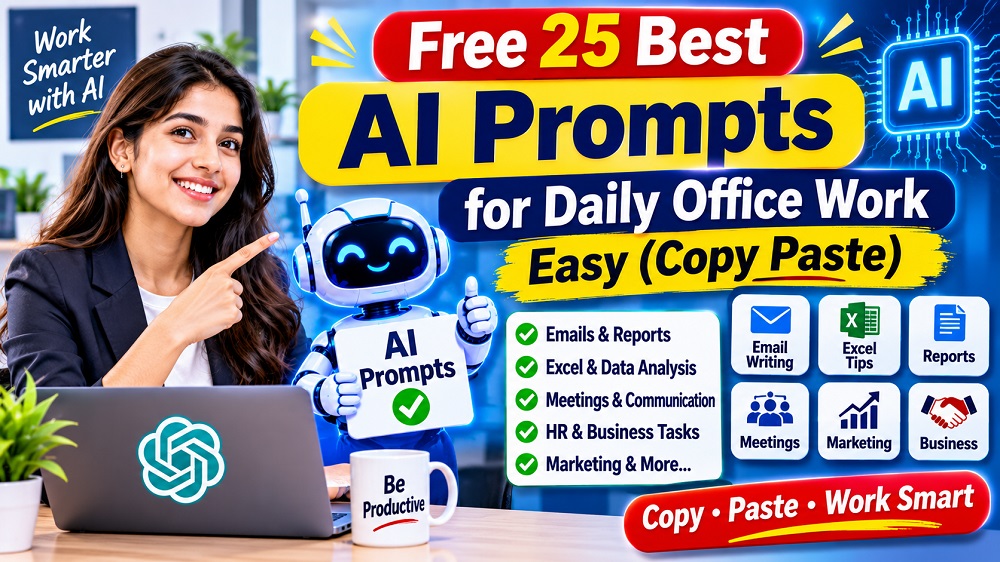
25 Ready-to-Use Prompts | 7 Office Categories | One-Click Copy
Artificial Intelligence (AI) is changing the way people work in offices. Today, employees can use AI tools like ChatGPT, Google Gemini and Microsoft Copilot to write professional emails, create reports, analyze Excel data, prepare presentations and complete everyday office tasks more efficiently.
But many people do not know what to ask AI or how to write effective instructions. That is why we have collected 25 best AI prompts for daily office work that you can copy and use directly.
Whether you are an Office Assistant, Computer Operator, Accountant, HR Executive, MIS Executive, Manager or Student, these practical AI prompts can help you improve your daily productivity.
- Choose the prompt according to your work.
- Click the Copy Prompt button.
- Open ChatGPT, Gemini or Copilot.
- Paste the prompt and replace the sample details.
- Review the AI-generated result before using it.
1. Best AI Prompts for Professional Email Writing
Professional email writing is an important part of office communication. Use these prompts to write clear and professional emails.
Prompt 1: Professional Email Writing
Write professional emails for office communication.
Prompt 2: Leave Application Email
Prepare a professional leave request.
Prompt 3: Follow-Up Email
Send a polite follow-up message.
Prompt 4: Email Reply Generator
Create professional replies to received emails.
2. Best AI Prompts for Excel and Data Analysis
Microsoft Excel is widely used in offices for calculations, reports, data management and analysis. These prompts can help you work more efficiently.
Prompt 5: Excel Formula Generator
Find the right Excel formula for your task.
Prompt 6: Excel Data Cleaning
Clean and organize spreadsheet data.
Prompt 7: Excel Dashboard Creation
Plan a professional Excel dashboard.
Prompt 8: Data Analysis Report
Analyze business or office data.
3. AI Prompts for Office Reports and Documentation
Reports and documentation are essential for daily office operations. Use AI to create well-structured documents.
Prompt 9: Daily Work Report
Prompt 10: Monthly Performance Report
Prompt 11: Meeting Minutes (MOM)
Prompt 12: Office Notice Writing
4. AI Prompts for Meetings and Communication
Prompt 13: Meeting Agenda
Prompt 14: Presentation Outline
Prompt 15: Professional WhatsApp Message
5. AI Prompts for HR and Employee Management
Prompt 16: Job Description
Prompt 17: Interview Questions
Prompt 18: Employee Attendance Report
6. AI Prompts for Marketing and Business Work
Prompt 19: Social Media Content
Prompt 20: Business Proposal
Prompt 21: Customer Support Reply
7. AI Prompts for Daily Office Productivity
Prompt 22: Daily Task Planner
Prompt 23: Document Summarizer
Prompt 24: Translation Assistant
Prompt 25: Office Work Automation Ideas
How to Write Better AI Prompts for Office Work?
To get more accurate and useful results, follow these simple guidelines:
- Define your task: Clearly explain what you want AI to do.
- Give context: Share relevant background information.
- Set the role: Tell AI to act as an Excel expert, HR manager or office assistant.
- Specify the format: Ask for a table, email, report or checklist.
- Set the audience: Explain who will read or use the result.
- Review the output: Verify facts, calculations and important details.
Quick Summary: 25 Best AI Prompts for Office Work
| Category | Prompt Numbers | Useful For |
|---|---|---|
| Email Writing | 1–4 | Office Communication |
| Excel & Data | 5–8 | Calculations and Reports |
| Documentation | 9–12 | Office Reporting |
| Meetings | 13–15 | Communication |
| HR Management | 16–18 | Employee Management |
| Marketing | 19–21 | Business Growth |
| Productivity | 22–25 | Daily Office Tasks |
Learn Advanced Excel, AI and Data Analytics
Want to improve your computer skills and become more productive at work? Join practical computer training at Excellent Computer Education, Indira Nagar, Lucknow.
Courses: Advanced Excel with AI | Data Analytics with AI | Power BI | Python | Digital Marketing
Enquire on WhatsApp Visit WebsiteGoel Palace, Faizabad Road, Indira Nagar, Lucknow, UP 226016
Frequently Asked Questions (FAQs)
1. What are AI prompts for office work?
AI prompts are instructions given to AI tools such as ChatGPT, Gemini and Copilot to perform office tasks like writing emails, creating reports, analyzing data and preparing presentations.
2. Which AI tool is best for daily office work?
ChatGPT, Google Gemini and Microsoft Copilot are useful options. The best tool depends on your task, available features and office software.
3. Can ChatGPT write professional emails?
Yes. ChatGPT can help draft professional emails, leave applications, follow-up messages and customer replies. Always review the draft before sending it.
4. Can AI help with Microsoft Excel?
Yes. AI can explain Excel formulas, suggest functions, help plan dashboards and assist with data analysis. Verify formulas and calculations before using them in business reports.
5. Are these 25 AI prompts free to use?
Yes. You can copy and use these prompts. However, the AI tools you use may have their own free usage limits and paid plans.
6. Can beginners use AI prompts without coding?
Yes. You do not need programming knowledge to use basic AI prompts for emails, reports, Excel assistance and daily office tasks.
7. How can I get better results from AI prompts?
Provide clear instructions, relevant context, examples, target audience and the desired output format. Review and improve the prompt when needed.
8. Is AI safe for office work?
AI can be useful, but avoid sharing confidential company information, passwords, personal records or sensitive business data with public AI services.
Conclusion
AI tools are becoming useful assistants for everyday office work. With these 25 free AI prompts, you can get help with email writing, Excel, reports, meetings, HR tasks, marketing and productivity.
Start with one or two prompts, practice regularly and adapt them to your actual work requirements. Remember that AI should support your skills, not replace your judgment.
Learn Today. Work Smarter Tomorrow!
Published by Excellent Computer Education | Computer Training Institute, Indira Nagar, Lucknow.
Explore More AI & Technology Articles
Learn Artificial Intelligence, ChatGPT, Prompt Engineering and Smart Excel Skills.
Generative AI क्या है? Career, Skills और Jobs
Generative AI की पूरी जानकारी, जरूरी Skills, Career Opportunities और Future Jobs के बारे में जानें।
Read More →100+ Best ChatGPT Prompts in Hindi for Students
Study, Exam Preparation, Notes, English Speaking और Career के लिए उपयोगी AI Prompts सीखें।
Read More →Top AI Chatbots for Indian Businesses
Customer Support, Lead Generation और Business Automation के लिए AI Chatbots के बारे में जानें।
Read More →AI Prompt क्या होता है? 10 Best Techniques
सही AI Prompt लिखना सीखें। ChatGPT और Gemini से बेहतर Results पाने के Practical Examples।
Read More →AI से Excel Formula Generate कैसे करें?
ChatGPT और AI Tools की मदद से Excel Formulas बनाना और Practical Examples सीखें।
Read More →