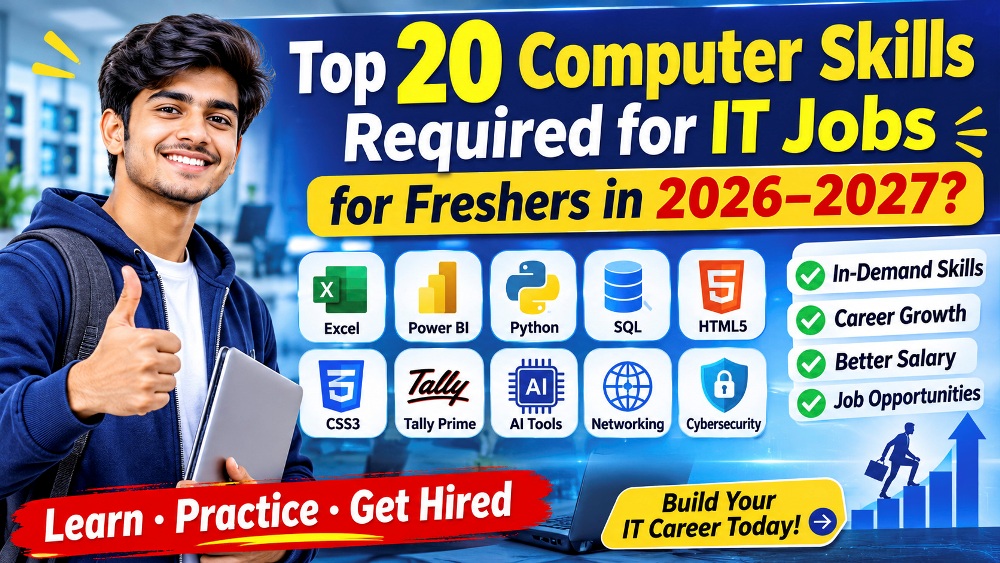
Top 20 Computer Skills Required for IT Jobs for Freshers
Learn the most important technical and professional computer skills to start your career in the IT industry.
Skills • Software • AI • Programming • Career Opportunities
Having a computer degree is useful, but employers also look for practical computer knowledge, problem-solving ability and hands-on experience. Whether you want to become an MIS Executive, Data Analyst, Computer Operator, Web Developer or IT Support Executive, learning the right computer skills can improve your job opportunities.
In this article, we will explore 20 important computer skills that freshers should learn in 2026–2027, along with their uses, applications and career opportunities.
Table of Contents
Why Are Computer Skills Important for Freshers?
Computer skills are important in almost every modern industry. Companies use computers for accounting, reporting, communication, data management, customer support, software development and business operations.
Practical computer knowledge can help freshers apply for entry-level positions in IT companies, educational institutions, banks, offices, startups and business organizations.
1. Basic Computer Knowledge
Basic computer knowledge is the foundation of almost every computer-related job. Beginners should understand how computer hardware and software work.
- Computer fundamentals and terminology.
- Input and output devices.
- Operating systems and file management.
- Installing and uninstalling applications.
- Basic troubleshooting.
2. Microsoft Office and Advanced Excel
Microsoft Office is one of the most useful software packages for office and administrative jobs. Excel is particularly important for reporting, calculations, data management and MIS work.
- MS Word for professional documentation.
- MS Excel for data management and calculations.
- PowerPoint for presentations.
- Excel formulas, Pivot Tables and charts.
- VLOOKUP, XLOOKUP, IF, SUMIFS and COUNTIFS.
- Excel dashboards and data reporting.
3. Data Analysis and Power BI
Data analysis is a valuable professional skill. Businesses use data to understand performance, identify trends and make informed decisions.
- Data cleaning and data formatting.
- Microsoft Excel for data analysis.
- Power Query for data transformation.
- Power BI for interactive dashboards.
- SQL for database queries.
- Basic statistics and data visualization.
4. Tally Prime and Accounting Software
Accounting software knowledge is helpful for candidates interested in accounting, finance and business administration.
- Company creation and ledger management.
- Voucher entry and inventory management.
- GST accounting and reports.
- Bank reconciliation.
- Profit and loss statements and balance sheets.
5. Typing and Data Entry Skills
Typing accuracy and speed are important for data entry, documentation and back-office jobs.
- English typing practice.
- Hindi typing using Unicode and Kruti Dev where required.
- Data entry accuracy.
- Keyboard shortcuts.
- Document formatting.
6. Programming Languages
Programming helps you develop applications, automate tasks and solve technical problems.
- Python for automation and data analysis.
- Java for application development.
- C and C++ for programming fundamentals.
- JavaScript for web development.
- Basic programming logic and algorithms.
7. HTML and CSS
HTML and CSS are fundamental technologies for creating websites. Beginners can start by developing simple web pages and gradually learn responsive website design.
- HTML page structure.
- CSS styling and layouts.
- Forms, tables and navigation menus.
- Responsive web design.
8. SQL and Database Management
SQL is used to store, retrieve, update and manage information in relational databases.
- Database and table creation.
- SELECT, INSERT, UPDATE and DELETE.
- WHERE, GROUP BY and ORDER BY.
- Joins and aggregate functions.
9. Artificial Intelligence and AI Tools
AI tools can help professionals research information, generate content, summarize documents, analyze data and automate repetitive tasks.
- ChatGPT and Microsoft Copilot.
- Google Gemini.
- AI-assisted Excel and data analysis.
- Prompt writing and prompt engineering.
- AI productivity and automation tools.
10. Digital Marketing Skills
Digital marketing skills are useful for promoting businesses, products and services online.
- Search Engine Optimization (SEO).
- Social media marketing.
- Google Ads fundamentals.
- Content marketing.
- Website analytics and reporting.
11. Graphic Designing
Graphic designing involves creating visual content for websites, advertisements, social media and print media.
- Adobe Photoshop.
- CorelDRAW and Adobe Illustrator.
- Canva and visual design tools.
- Typography, colours and layout design.
12. Computer Networking
Networking knowledge helps professionals understand how computers communicate and share resources.
- LAN, WAN and WLAN.
- IP addresses and DNS.
- Routers and switches.
- Basic network troubleshooting.
13. Cybersecurity Fundamentals
Cybersecurity protects computer systems, networks and data from unauthorized access and digital threats.
- Antivirus and firewall fundamentals.
- Password security and authentication.
- Phishing and malware awareness.
- Safe browsing practices.
- Data backup and protection.
14. Operating Systems
Knowledge of operating systems is essential for installation, configuration and troubleshooting.
- Windows 11 installation and configuration.
- Linux fundamentals.
- File and user management.
- Software installation and updates.
15. Cloud Computing
Cloud computing allows organizations to use computing resources, storage and applications over the internet.
- Cloud storage and backup.
- Microsoft Azure fundamentals.
- Amazon Web Services fundamentals.
- Google Cloud basics.
16. Git and GitHub
Git is a version control system used by developers to track changes in source code. GitHub helps teams store and collaborate on projects.
- Repositories and commits.
- Branches and merging.
- Uploading projects to GitHub.
- Collaborative development.
17. Software Testing
Software testing helps identify defects and check whether an application works according to requirements.
- Manual testing fundamentals.
- Test cases and bug reporting.
- Functional testing.
- Basic automation testing concepts.
18. Communication and Email Skills
Professional communication is important for working with colleagues, clients and managers.
- Professional email writing.
- Microsoft Outlook and Gmail.
- Online meetings and video conferencing.
- Professional documentation.
19. Problem-Solving and Troubleshooting
Technical professionals should be able to identify problems, understand their causes and find suitable solutions.
- Identifying software errors.
- Basic hardware troubleshooting.
- Internet and connectivity issues.
- Logical thinking and problem-solving.
20. Practical Projects and Portfolio Development
Practical projects demonstrate your ability to apply computer knowledge in real situations. Freshers should build a portfolio that showcases their skills.
- Create an Excel MIS dashboard.
- Build a Power BI sales dashboard.
- Develop a basic business website.
- Create a Tally Prime accounting project.
- Upload programming projects to GitHub.
- Prepare a professional resume and project portfolio.
Computer Skills Comparison Table for Freshers
| Computer Skill | Common Job Role | Priority |
|---|---|---|
| MS Office | Office Executive | Essential |
| Advanced Excel | MIS Executive | High |
| Power BI | Junior Data Analyst | High |
| Tally Prime | Accounts Assistant | High |
| Python | Junior Developer | High |
| SQL | Data Analyst | High |
| HTML & CSS | Web Designer | High |
| Networking | IT Support | High |
| Cybersecurity | Security Trainee | Growing |
| AI Tools | Multiple Job Roles | Growing |
| Graphic Design | Graphic Designer | High |
| Digital Marketing | SEO Executive | High |
Priority is a general learning recommendation, not a guarantee of hiring or employment.
Which Computer Skills Should Freshers Learn First?
Do not try to learn all 20 skills at once. Choose a learning path according to your career interests.
For Office & MIS Jobs
- Basic Computer
- MS Office
- Advanced Excel
- Power BI
- Professional Communication
For Data Analyst Jobs
- Advanced Excel
- SQL
- Power BI
- Python
- Statistics
For Software Developer Jobs
- Programming Fundamentals
- Python or Java
- HTML & CSS
- JavaScript
- Git & GitHub
For Accounting Jobs
- Basic Computer
- MS Excel
- Tally Prime
- GST Accounting
- Documentation
30-Day Computer Skills Learning Roadmap
| Days | Learning Topics | Practical Activity |
|---|---|---|
| 1–5 | Computer Fundamentals and Windows | File management and shortcuts |
| 6–10 | MS Office and Excel | Salary sheet and reports |
| 11–15 | Advanced Excel | Formula-based MIS report |
| 16–20 | AI Tools and Data Analysis | Analyze sample data |
| 21–25 | Power BI or a chosen specialization | Build a dashboard |
| 26–30 | Resume, Interview and Projects | Prepare a job portfolio |
This is a starter roadmap. Becoming job-ready generally requires continued practice, projects and role-specific training.
Best Computer Courses for Freshers to Get Job-Ready
If you want to develop professional computer skills, structured practical training can help you learn software applications and build project experience.
1. Advanced Excel with Power BI
Learn formulas, Pivot Tables, dashboards, data cleaning, Power Query and business reporting.
Explore Advanced Excel Training →2. Data Analytics with AI Course
Learn Excel, Power BI, data analysis, AI tools and practical projects for analytics-oriented career paths.
Explore Data Analytics Course →3. Power BI Professional Training
Learn data visualization, Power Query, data modelling and interactive dashboard creation.
Explore Power BI Course →4. ADCA and DCA Computer Courses
Build foundational computer knowledge, office automation, documentation and practical computer skills.
Build Your Computer Skills. Prepare for Your Career!
Join Excellent Computer Education, Indira Nagar, Lucknow, for practical, job-oriented computer training.
Learn • Practice • Build Projects • Prepare for Interviews
Explore Courses WhatsApp for AdmissionCall / WhatsApp: 9795720993
UG-10, Goel Palace, Faizabad Road, Indira Nagar, Lucknow – 226016
Frequently Asked Questions (FAQs)
1. Which computer skills are most important for freshers?
MS Office, Advanced Excel, communication, data analysis, AI tools, programming and basic troubleshooting are useful skills for many entry-level roles.
2. Can I get an IT job after learning basic computer skills?
Basic computer skills can help you apply for some entry-level office and computer operator positions. More specialized IT jobs usually require additional technical knowledge and practical experience.
3. Is Advanced Excel important for IT jobs?
Yes. Advanced Excel is useful for MIS reporting, data management, office administration, accounting and business analysis.
4. Which programming language should a beginner learn first?
Python is a popular beginner-friendly option because of its readable syntax and applications in automation, data analysis and software development.
5. Is Power BI useful for freshers?
Power BI is useful for candidates interested in reporting, business intelligence and data analytics. Learn data cleaning, data modelling, DAX and dashboard development.
6. How long does it take to learn computer skills?
Basic computer skills can be learned in a few weeks. Professional proficiency depends on the subject, practice time, project experience and individual learning pace.
7. Which computer course is best for getting an office job?
A course covering computer fundamentals, MS Office, Advanced Excel, email, documentation and practical office projects is a useful starting point.
8. Are AI tools important for future IT jobs?
AI tools are increasingly used in many industries. Learning how to use them responsibly for research, productivity, data analysis and automation can complement technical skills.
9. Do IT companies require practical projects?
Practical projects can help demonstrate your knowledge and problem-solving ability. Requirements differ by employer and job role.
10. Where can I learn job-oriented computer courses in Lucknow?
Excellent Computer Education offers computer training in Indira Nagar, Lucknow. Contact 9795720993 for information about available courses and admission.
Conclusion
Learning the right computer skills is an important step towards starting a successful IT career. Freshers should focus on practical knowledge rather than collecting certificates alone. Begin with computer fundamentals, MS Office and Advanced Excel, then choose a specialization such as Data Analytics, Programming, Accounting, Networking or Digital Marketing.
Build real-world projects, improve communication skills and practice regularly. These steps can help you prepare for entry-level job opportunities and develop your professional career.
Excellent Computer Education is a professional computer training institute located in Indira Nagar, Lucknow, offering practical and job-oriented computer courses.
Website: excellentcomputereducation.com
Contact: 9795720993
IT CAREER GUIDE 2026–2027 Top 20 Computer Skills Required for IT Jobs for Freshers Learn the most important technical and
आज के समय में Accounting और Finance के क्षेत्र में नौकरी पाने के लिए Tally Prime Software का ज्ञान होना

क्या आप Excel Interview की तैयारी कर रहे हैं और किसी अच्छी नौकरी की तलाश में हैं? आज के समय

VIDEO EDITING GUIDE 2026 Best Free Video Editing Software for YouTube in 2026 क्या आप YouTube के लिए professional videos