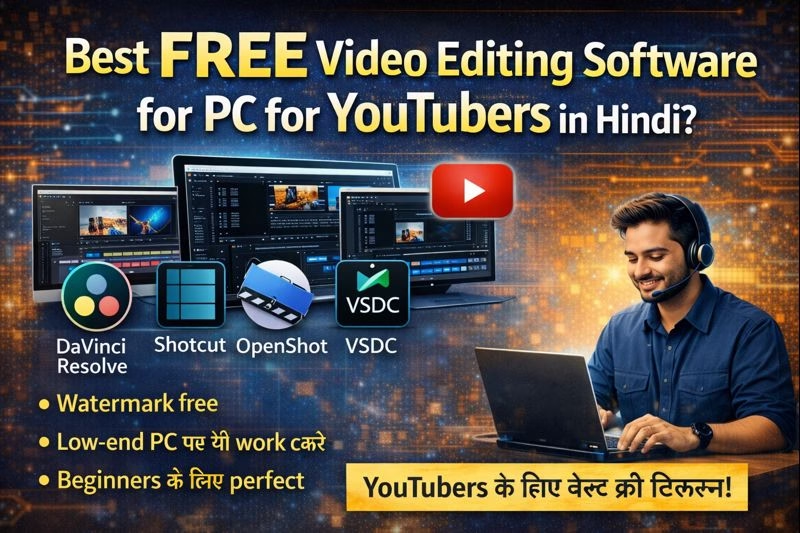
Best Free Video Editing Software for PC
आज के समय में YouTube एक popular career option बन चुका है। लेकिन अच्छा content बनाने के लिए सिर्फ camera ही नहीं, बल्कि best video editing software भी जरूरी होता है। अगर आप beginner YouTuber हैं और paid software afford नहीं कर सकते, तो PC के लिए free video editing software आपके लिए best solution है।
इस blog में हम जानेंगे:
- YouTubers के लिए free video editing software क्यों जरूरी है?
- Best free video editing software for PC?
- कौन-सा software beginners और advanced users के लिए best है?
YouTubers के लिए Free Video Editing Software क्यों जरूरी है?
New YouTubers के लिए शुरुआत में investment कम रखना जरूरी होता है। Free video editing software:
- Zero cost में editing की सुविधा देता है
- Basic से advanced editing tools provide करता है
- YouTube-friendly formats support करता है
- Practice और skill improvement के लिए best होता है
Best Free Video Editing Software for PC – No Watermark
DaVinci Resolve (Free Version)
- DaVinci Resolve free होते हुए भी professional-level features देता है।
Features:
- Advanced video editing & color correction
- Multi-track timeline
- High-quality export options
- Best for: Serious YouTubers और cinematic videos
System requirement: Medium to high PC
Shotcut
- Shotcut एक lightweight और beginner-friendly free video editor है।
Features:
- Simple interface
- 4K video support
- No watermark
Best for: Beginners और low-end PC users
OpenShot Video Editor
- OpenShot simple और easy-to-use free software है।
Features:
- Drag & drop editing
- Title, transition और effects
- Unlimited layers
Best for: Basic YouTube videos और beginners
HitFilm (Free Version)
- HitFilm खासकर YouTubers के लिए popular है जो effects-heavy videos बनाते हैं।
Features:
- Visual effects tools
- Green screen support
- YouTube export presets
Best for: Gaming और VFX-based YouTube channels
VSDC Free Video Editor
- VSDC Windows users के लिए best free editing software माना जाता है।
Features:
- Non-linear editing
- Color correction
- Screen recording support
Best for: Tutorial और educational YouTube channels
You Tube Beginners के लिए कौन-सा Software Best है?
अगर आप बिल्कुल beginner हैं, तो:
- OpenShot
- Shotcut
इनसे शुरुआत करना आसान रहेगा।
अगर आपका PC powerful है और आप professional editing सीखना चाहते हैं, तो:
- DaVinci Resolve (Free) best choice है।
Free Video Editing Software चुनते समय ध्यान देने वाली बातें
- PC configuration (RAM, Processor)
- Watermark free export
- YouTube supported formats
- Easy interface और tutorials availability
Free vs Paid Video Editing Software
Free software learning और basic YouTube growth के लिए perfect होते हैं।
Paid software (Premiere Pro, Final Cut) तब useful होते हैं जब:
- Channel grow हो जाए
- Advanced workflow की जरूरत हो
Conclusion
अगर आप YouTube journey शुरू कर रहे हैं, तो Best Free Video Editing Software for PC for YouTubers आपके लिए perfect है। सही software चुनकर आप बिना पैसे खर्च किए professional-looking videos बना सकते हैं।
- Start simple, practice regularly और जब channel grow हो जाए, तब advanced tools की तरफ move करें।
FAQ – Best Free Video Editing Software for PC for YouTubers
1. Best free video editing software for PC कौन-सा है?
YouTubers के लिए DaVinci Resolve (Free Version) सबसे powerful free video editing software माना जाता है। Beginners के लिए Shotcut और OpenShot भी अच्छे options हैं।
2. क्या free video editing software में watermark आता है?
नहीं, ऊपर बताए गए software जैसे DaVinci Resolve, Shotcut, OpenShot और VSDC में export करते समय watermark नहीं आता।
3. Low-end PC के लिए कौन-सा free video editor best है?
Low configuration वाले PC के लिए:
- Shotcut
- OpenShot
ये software smoothly काम करते हैं।
4. Beginners के लिए कौन-सा software आसान है?
Beginners के लिए OpenShot और Shotcut सबसे easy और user-friendly video editing software हैं।
5. क्या free video editing software से YouTube videos monetize हो सकते हैं?
हाँ, आप free video editing software से बनाए गए videos को YouTube पर upload करके monetize कर सकते हैं। YouTube की policy में ऐसा कोई restriction नहीं है।
6. Free video editing software Windows PC पर काम करता है?
हाँ, DaVinci Resolve, Shotcut, OpenShot और VSDC सभी Windows PC पर support करते हैं।
7. Beginners को कौन-सा free video editing software choose करना चाहिए?
अगर आप बिल्कुल नए हैं:
- OpenShot से start करें
- बाद में Shotcut या DaVinci Resolve पर shift कर सकते हैं