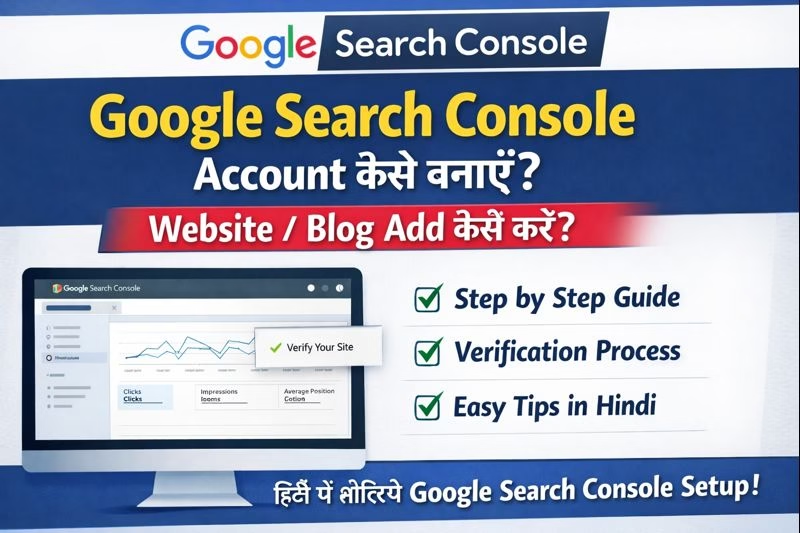
Google Search Console Account कैसे बनाएँ?
.
अगर आप अपनी वेबसाइट या ब्लॉग को Google में सही तरीके से rank कराना चाहते हैं, तो Google Search Console (GSC) का इस्तेमाल करना बहुत जरूरी है। यह एक free tool है जिसकी मदद से आप यह जान सकते हैं कि आपकी वेबसाइट Google Search में कैसे perform कर रही है, कौन-से keywords पर traffic आ रहा है और indexing से जुड़ी क्या-क्या समस्याएँ हैं।
इस blogमें हम आसान भाषा में समझेंगे कि Google Search Console account कैसे बनाएँ और अपनी वेबसाइट को verify कैसे करें।
Google Search Console क्या है?
Google Search Console एक free webmaster tool है जिसे Google ने website owners और bloggers के लिए बनाया है। इसकी मदद से आप:
- अपनी website को Google में submit कर सकते हैं
- Pages index हो रहे हैं या नहीं, यह check कर सकते हैं
- Search traffic और keywords की जानकारी पा सकते हैं
- Errors और technical problems को fix कर सकते हैं
Google Search Console Account बनाने के लिए जरूरी चीजें?
Account बनाने से पहले आपके पास ये चीजें होनी चाहिए:
- एक Google (Gmail) account
- आपकी website या blog का URL
- Website hosting या domain access (verification के लिए)
Step 1: Google Search Console Website खोलें
सबसे पहले अपने browser में Google Search Console की official website https://search.google.com/search-console/aboutखोलें और Start Now पर click करें। इसके बाद अपने Gmail account से login करें।
Step 2: Property Type चुनें
Login करने के बाद Google आपसे Property Type चुनने को कहेगा। यहाँ दो options मिलते हैं:
Domain Property
पूरी domain (http, https, www, non-www) को cover करती है
Verification DNS record से होती है
URL Prefix Property
- सिर्फ एक specific URL को cover करती है
- Verification के कई आसान तरीके मिलते हैं
- Beginners के लिए URL Prefix Property सबसे आसान होती है।
Step 3: Website URL Add करें
- अब URL Prefix वाले box में अपनी website का पूरा URL डालें, जैसे: https://www.example.com
- ध्यान रखें कि URL बिल्कुल सही format में हो।
Step 4: Website Verification कैसे करें
- Website verify करना सबसे जरूरी step है। Google Search Console आपको verification के लिए कई options देता है:
Method 1: HTML File Upload
- Google द्वारा दी गई HTML file download करें
- Hosting के root folder में upload करें
- Verify बटन पर click करें
Method 2: HTML Tag (Recommended)
- Google आपको एक meta tag देगा
- उसे अपनी website के <head> section में paste करें
- Verify पर click करें
Method 3: Google Analytics
- अगर आपकी website पहले से Google Analytics से जुड़ी है
- तो उसी Gmail से login करके verify कर सकते हैं
Method 4: Google Tag Manager
- Tag Manager account linked होने पर verification आसान हो जाती है
Step 5: Verification Complete होने के बाद क्या करें
Verification successful होने के बाद आपकी website Google Search Console में add हो जाएगी। इसके बाद आप:
- Sitemap submit कर सकते हैं
- Performance report check कर सकते हैं
- Indexing issues देख सकते हैं
Google Search Console – Sitemap कैसे Submit करें
- Left menu में Sitemaps option पर जाएँ
- Sitemap URL डालें, जैसे: sitemap.xml
- Submit पर click करें
- यह आपकी website के pages को जल्दी index कराने में मदद करता है।
Google Search Console Account बनाने के फायदे
- Website indexing fast होती है
- SEO performance improve होती है
- Errors जल्दी पता चल जाते हैं
- Search traffic और CTR की सही जानकारी मिलती है
Google Search Console में Website Add करने के फायदे
Website pages जल्दी index होते हैं
SEO errors की पहचान आसान होती है
Search traffic और keywords का data मिलता है
Website performance improve करने में मदद मिलती है
Conclusion
अगर आप blogger, website owner या digital marketing सीख रहे हैं, तो Google Search Console account बनाना पहला और सबसे जरूरी कदम है। ऊपर बताए गए steps follow करके आप आसानी से कुछ ही minutes में अपना GSC account बना सकते हैं और अपनी website की performance track कर सकते हैं।
FAQ – Google Search Console Account कैसे बनाएँ?
Q1. क्या Google Search Console account बनाना free है?
हाँ, Google Search Console पूरी तरह free tool है। इसके लिए किसी भी तरह की fees नहीं लगती।
Q2. Google Search Console account बनाने में कितना समय लगता है?
अगर आपके पास website access है, तो 5–10 मिनट में account बनकर website verify हो जाती है।
Q3. क्या बिना website के Google Search Console account बनाया जा सकता है?
नहीं, Google Search Console का उपयोग करने के लिए आपके पास website या blog होना जरूरी है।
Q5. Website verification fail हो जाए तो क्या करें?
सबसे पहले URL सही है या नहीं check करें। फिर meta tag या HTML file method से दोबारा verification try करें।
Q6. क्या एक Gmail से multiple websites add की जा सकती हैं?
हाँ, एक ही Gmail account से आप multiple websites को Google Search Console में add कर सकते हैं।
Q7. Website verify होने के बाद क्या तुरंत traffic दिखने लगता है?
नहीं, data दिखने में कुछ दिन लग सकते हैं। नई website के लिए Google को data collect करने में समय लगता है।
Q8. Google Search Console और Google Analytics में क्या difference है?
Google Search Console search performance और indexing पर focus करता है, जबकि Google Analytics users के behavior और traffic sources दिखाता है।
Q9. क्या Google Search Console से website ranking improve होती है?
Directly ranking improve नहीं होती, लेकिन GSC की reports और errors fix करके SEO बेहतर किया जा सकता है, जिससे ranking improve होने की संभावना बढ़ती है।