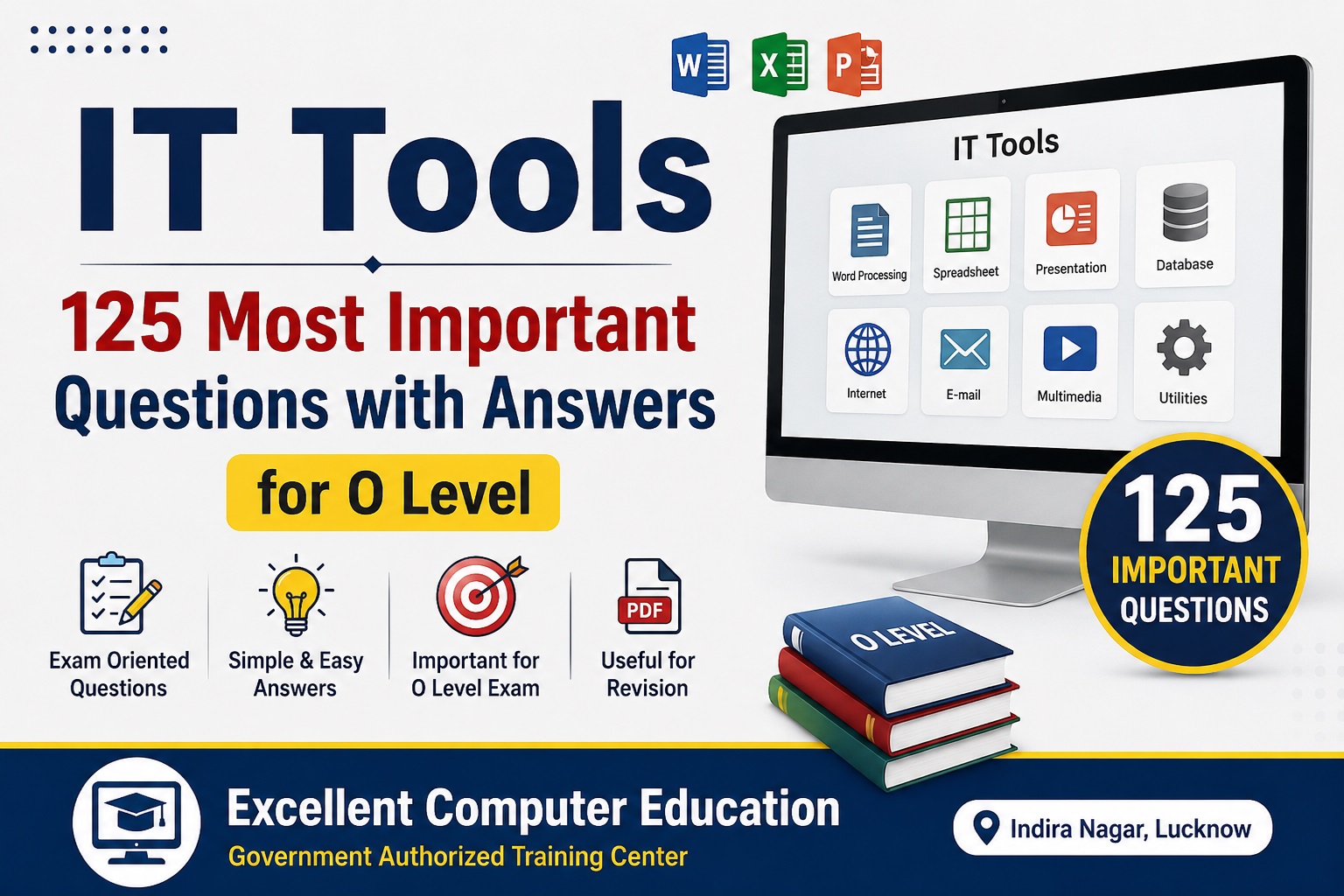
IT Tools : 125 Most Important Questions with Answers
NIELIT O Level M1-R5 – Information Technology Tools and Network Basics O Level examination का एक महत्वपूर्ण module है। इसमें Computer Fundamentals, Operating System, LibreOffice, Internet, Networking, Email, Digital Financial Services, Cyber Security और e-Governance जैसे topics शामिल होते हैं।
नीचे दिए गए 125 questions को exam-oriented revision question bank के रूप में तैयार किया गया है। ये frequently tested concepts और important question patterns पर आधारित हैं; इन्हें किसी specific upcoming paper के exact questions न मानें।
Computer Fundamentals
1. Computer क्या है?
Answer: Computer एक electronic device है जो input data को process करके meaningful output देता है।
2. Computer का मुख्य कार्य क्या है?
Answer: Input लेना, processing करना, output देना और information को store करना।
3. Data क्या है?
Answer: Raw facts और figures को data कहते हैं।
4. Information क्या है?
Answer: Processed और meaningful data को information कहते हैं।
5. Computer की मुख्य विशेषताएँ क्या हैं?
Answer: Speed, accuracy, storage, automation, diligence और versatility।
6. CPU का full form क्या है?
Answer: Central Processing Unit।
7. CPU को computer का brain क्यों कहा जाता है?
Answer: क्योंकि CPU instructions को process करता है और computer के operations को control करता है।
8. ALU का full form क्या है?
Answer: Arithmetic Logic Unit।
9. ALU का कार्य क्या है?
Answer: Arithmetic और logical operations perform करना।
10. CU का full form क्या है?
Answer: Control Unit।
11. Control Unit का कार्य क्या है?
Answer: Computer के विभिन्न operations को control और coordinate करना।
12. RAM क्या है?
Answer: RAM (Random Access Memory) temporary working memory है जिसमें currently used programs और data रखे जाते हैं।
13. ROM क्या है?
Answer: ROM (Read Only Memory) non-volatile memory है जिसमें permanent या firmware-related instructions stored हो सकते हैं।
14. RAM और ROM में क्या अंतर है?
Answer: RAM सामान्यतः volatile और temporary working memory है, जबकि ROM non-volatile memory है।
15. Primary Memory क्या है?
Answer: CPU द्वारा directly accessed मुख्य memory को primary memory कहते हैं, जैसे RAM और ROM।
16. Secondary Memory क्या है?
Answer: Long-term data storage के लिए उपयोग होने वाली memory, जैसे HDD और SSD।
17. HDD का full form क्या है?
Answer: Hard Disk Drive।
18. SSD का full form क्या है?
Answer: Solid State Drive।
19. SSD का एक प्रमुख लाभ क्या है?
Answer: SSD में moving mechanical parts नहीं होते, इसलिए यह सामान्यतः HDD की तुलना में faster और अधिक shock-resistant होती है।
20. Bit क्या है?
Answer: Bit computer data की सबसे छोटी binary unit है, जिसका value 0 या 1 हो सकता है।
21. Byte क्या है?
Answer: 1 Byte में 8 bits होते हैं।
22. 1 KB में कितने bytes होते हैं?
Answer: Traditional binary convention में 1 KB = 1024 bytes माना जाता है।
23. Input Device क्या है?
Answer: ऐसा hardware device जिससे computer में data या instructions enter किए जाते हैं।
24. पाँच input devices के नाम बताइए।
Answer: Keyboard, mouse, scanner, microphone और webcam।
25. Output Device क्या है?
Answer: ऐसा device जो processed information को user तक पहुंचाता है।
26. पाँच output devices के नाम बताइए।
Answer: Monitor, printer, speaker, projector और headphones।
27. Keyboard क्या है?
Answer: Keyboard एक input device है जिसका उपयोग text, numbers और commands enter करने के लिए किया जाता है।
28. Mouse क्या है?
Answer: Mouse एक pointing input device है जिसका उपयोग pointer को control करने और selections करने के लिए किया जाता है।
29. Scanner क्या है?
Answer: Scanner physical documents या images को digital form में convert करता है।
30. Printer क्या है?
Answer: Printer digital information को physical paper output में बदलता है।
Hardware, Software & Operating System
31. Hardware क्या है?
Answer: Computer के physical components जिन्हें हम देख और touch कर सकते हैं, hardware कहलाते हैं।
32. Software क्या है?
Answer: Computer को specific tasks perform करने के लिए दिए गए programs और instructions का collection software कहलाता है।
33. Software के मुख्य प्रकार कौन से हैं?
Answer: System software और application software।
34. System Software क्या है?
Answer: ऐसा software जो computer hardware और basic system operations को manage करता है।
35. Application Software क्या है?
Answer: User के specific tasks के लिए बनाया गया software application software कहलाता है।
36. Operating System क्या है?
Answer: Operating System computer hardware और software resources को manage करने वाला system software है।
37. Operating System के उदाहरण बताइए।
Answer: Windows, Linux, macOS, Android और iOS।
38. Operating System के प्रमुख कार्य क्या हैं?
Answer: Process management, memory management, file management, device management और user interface प्रदान करना।
39. GUI का full form क्या है?
Answer: Graphical User Interface।
40. CLI का full form क्या है?
Answer: Command Line Interface।
41. GUI क्या है?
Answer: ऐसा user interface जिसमें graphical elements जैसे windows, icons, menus और buttons का उपयोग होता है।
42. File क्या है?
Answer: Related data या information को एक नाम के साथ storage में save किया गया unit file कहलाता है।
43. Folder क्या है?
Answer: Files और अन्य folders को organize करने के लिए उपयोग किया जाने वाला container folder कहलाता है।
44. File extension क्या है?
Answer: File name का वह हिस्सा जो file के format/type को identify करने में मदद करता है, extension कहलाता है।
45. Backup क्या है?
Answer: Important data की अतिरिक्त copy बनाकर सुरक्षित रखना backup कहलाता है।
46. Booting क्या है?
Answer: Computer start होने पर operating system को memory में load करने की process booting कहलाती है।
47. Malware क्या है?
Answer: Malicious software designed to damage, disrupt, steal information or gain unauthorized access malware कहलाता है।
48. Computer Virus क्या है?
Answer: Virus एक प्रकार का malicious program है जो files या programs से जुड़कर फैल सकता है और unwanted activities कर सकता है।
49. Antivirus क्या है?
Answer: Antivirus software malware को detect, prevent और remove करने में सहायता करता है।
50. Firewall क्या है?
Answer: Firewall network traffic को defined security rules के आधार पर monitor और control करने में मदद करता है।
LibreOffice Writer
51. LibreOffice क्या है?
Answer: LibreOffice एक free और open-source office productivity suite है।
52. LibreOffice Writer क्या है?
Answer: Writer LibreOffice का word processing application है।
53. Writer का उपयोग किसलिए होता है?
Answer: Letters, reports, resumes, applications और अन्य text documents बनाने के लिए।
54. Writer document का default OpenDocument format क्या है?
Answer: ODT (.odt)।
55. New document की shortcut key क्या है?
Answer: Ctrl + N।
56. Document save करने की shortcut key क्या है?
Answer: Ctrl + S।
57. Document open करने की shortcut key क्या है?
Answer: Ctrl + O।
58. Print की shortcut key क्या है?
Answer: Ctrl + P।
59. Copy की shortcut key क्या है?
Answer: Ctrl + C।
60. Paste की shortcut key क्या है?
Answer: Ctrl + V।
61. Cut की shortcut key क्या है?
Answer: Ctrl + X।
62. Undo की shortcut key क्या है?
Answer: Ctrl + Z।
63. Redo की shortcut key क्या है?
Answer: Ctrl + Y।
64. Bold की shortcut key क्या है?
Answer: Ctrl + B।
65. Italic की shortcut key क्या है?
Answer: Ctrl + I।
LibreOffice Calc
66. LibreOffice Calc क्या है?
Answer: Calc एक spreadsheet application है जिसका उपयोग calculations, tables और data analysis के लिए किया जाता है।
67. Calc file का default OpenDocument format क्या है?
Answer: ODS (.ods)।
68. Spreadsheet क्या है?
Answer: Spreadsheet rows और columns में data organize करके calculations और analysis करने वाला electronic worksheet है।
69. Cell क्या है?
Answer: Row और column के intersection को cell कहते हैं।
70. Cell address क्या है?
Answer: Cell की पहचान उसके column letter और row number से होती है, जैसे A1।
71. Formula किस symbol से शुरू होता है?
Answer: सामान्यतः = (equal sign) से।
72. SUM function का उपयोग किसलिए होता है?
Answer: Numbers या cells का total निकालने के लिए।
Example: =SUM(A1:A10)
73. AVERAGE function क्या करता है?
Answer: Selected numerical values का average निकालता है।
74. MAX function क्या करता है?
Answer: दिए गए range की सबसे बड़ी value लौटाता है।
75. MIN function क्या करता है?
Answer: दिए गए range की सबसे छोटी value लौटाता है।
76. COUNT function क्या करता है?
Answer: Numeric values वाली cells की संख्या count करता है।
77. IF function क्या करता है?
Answer: Condition को test करके उसके आधार पर result देता है।
78. Relative Reference क्या है?
Answer: ऐसा cell reference जो formula copy करने पर अपने position के अनुसार बदल जाता है, जैसे A1।
79. Absolute Reference क्या है?
Answer: ऐसा reference जो formula copy करने पर fixed रहता है, जैसे $A$1।
80. Sorting क्या है?
Answer: Data को specified order में arrange करना sorting कहलाता है।
81. Filtering क्या है?
Answer: Criteria के अनुसार आवश्यक records को display करना filtering कहलाता है।
82. Chart क्या है?
Answer: Data का graphical representation chart कहलाता है।
83. Conditional Formatting क्या है?
Answer: निर्धारित conditions के आधार पर cells का formatting automatically बदलना Conditional Formatting कहलाता है।
84. VLOOKUP का उपयोग किसलिए किया जाता है?
Answer: Table में किसी value को search करके उससे संबंधित information retrieve करने के लिए।
85. Pivot Table क्या है?
Answer: Large data को summarize और analyze करने के लिए उपयोग किया जाने वाला tool Pivot Table कहलाता है।
LibreOffice Impress
86. LibreOffice Impress क्या है?
Answer: Impress LibreOffice का presentation application है।
87. Impress file का default OpenDocument format क्या है?
Answer: ODP (.odp)।
88. Slide क्या है?
Answer: Presentation का individual page या screen slide कहलाता है।
89. Presentation क्या है?
Answer: Information को slides के माध्यम से visually present करने वाली file presentation कहलाती है।
90. Slide Transition क्या है?
Answer: एक slide से दूसरी slide पर जाने के दौरान दिखाई देने वाला visual effect transition कहलाता है।
91. Animation क्या है?
Answer: Slide के text या objects पर लगाया गया visual/movement effect animation कहलाता है।
92. Presentation में image क्यों add की जाती है?
Answer: Information को अधिक visual और understandable बनाने के लिए।
93. क्या Impress में multiple slides बनाई जा सकती हैं?
Answer: हाँ।
94. क्या Impress presentation को PDF में export किया जा सकता है?
Answer: हाँ।
95. क्या Impress slides print की जा सकती हैं?
Answer: हाँ।
Internet & World Wide Web
96. Internet क्या है?
Answer: Internet interconnected computer networks का global network है।
97. WWW का full form क्या है?
Answer: World Wide Web।
98. Web क्या है?
Answer: Web internet पर उपलब्ध interconnected webpages और resources की system है।
99. Website क्या है?
Answer: Related webpages और digital resources का organized collection website कहलाता है।
100. Webpage क्या है?
Answer: Website का एक individual page webpage कहलाता है।
101. Web Browser क्या है?
Answer: Browser एक software application है जिसका उपयोग websites और web content access करने के लिए किया जाता है।
102. Web browser के उदाहरण बताइए।
Answer: Google Chrome, Mozilla Firefox, Microsoft Edge और Safari।
103. Search Engine क्या है?
Answer: Search engine internet पर information खोजने के लिए उपयोग की जाने वाली service है।
104. Search Engine के उदाहरण क्या हैं?
Answer: Google, Bing और DuckDuckGo।
105. URL का full form क्या है?
Answer: Uniform Resource Locator।
106. URL क्या है?
Answer: URL internet पर किसी resource का address बताता है।
107. HTTP का full form क्या है?
Answer: Hypertext Transfer Protocol।
108. HTTPS में S का क्या अर्थ है?
Answer: Secure।
109. HTTPS क्यों महत्वपूर्ण है?
Answer: HTTPS browser और website के बीच data transmission को TLS encryption के माध्यम से अधिक secure बनाने में मदद करता है।
110. ISP का full form क्या है?
Answer: Internet Service Provider।
Email, Networking & Cyber Security
111. E-mail क्या है?
Answer: E-mail electronic messages भेजने और प्राप्त करने की service है।
112. E-mail में CC का full form क्या है?
Answer: Carbon Copy।
113. E-mail में BCC का full form क्या है?
Answer: Blind Carbon Copy।
114. Attachment क्या है?
Answer: E-mail के साथ भेजी गई file attachment कहलाती है।
115. LAN का full form क्या है?
Answer: Local Area Network।
116. WAN का full form क्या है?
Answer: Wide Area Network।
117. MAN का full form क्या है?
Answer: Metropolitan Area Network।
118. IP Address क्या है?
Answer: IP address network पर किसी device/interface की logical identification/addressing के लिए उपयोग होता है।
119. Router क्या है?
Answer: Router अलग-अलग networks के बीच data packets को forward करने वाला networking device है।
120. Phishing क्या है?
Answer: Phishing एक cyber attack technique है जिसमें attacker fake messages, websites या emails के माध्यम से sensitive information प्राप्त करने की कोशिश करता है।
121. Strong Password क्या होता है?
Answer: ऐसा password जो पर्याप्त लंबा हो और अनुमान लगाना कठिन हो; इसमें अलग-अलग प्रकार के characters का उपयोग किया जा सकता है।
122. Two-Factor Authentication क्या है?
Answer: ऐसी security method जिसमें account access के लिए password के अलावा एक additional verification factor भी आवश्यक होता है।
123. Digital Signature क्या है?
Answer: Digital Signature electronic document/message की authenticity और integrity verify करने के लिए cryptographic technique का उपयोग करता है।
124. E-Governance क्या है?
Answer: Government services और information को information and communication technologies के माध्यम से नागरिकों तक उपलब्ध कराने की प्रक्रिया e-Governance कहलाती है।
125. Cyber Security क्या है?
Answer: Computers, networks, systems और digital information को unauthorized access, attacks, damage और misuse से सुरक्षित रखने की practices को Cyber Security कहते हैं।