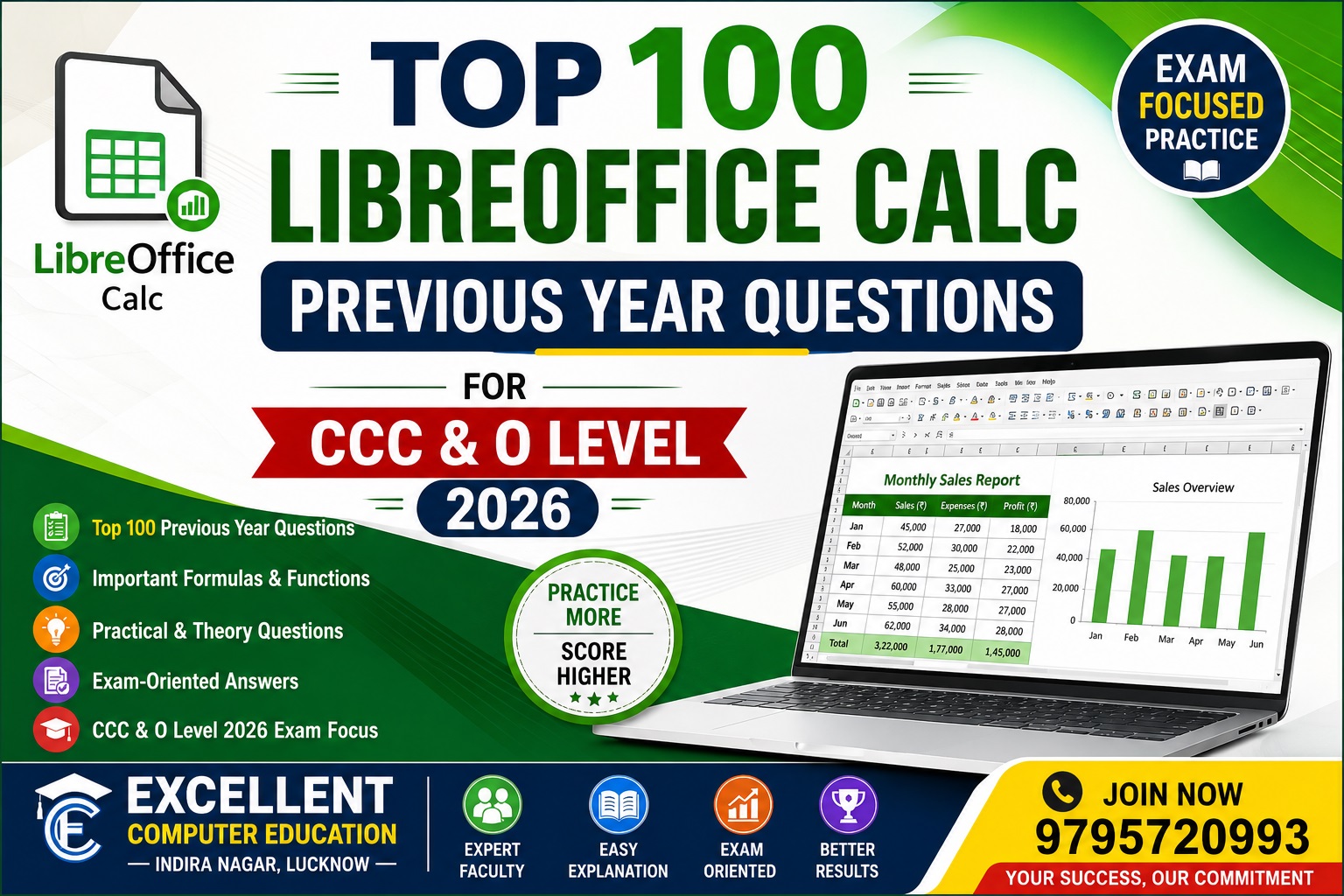
Top 100 LibreOffice Previous Year Questions for CCC & O Level
LibreOffice Previous Year Questions (PYQ) are useful for students preparing for CCC, O Level, DCA, ADCA and other computer examinations. LibreOffice topics such as Writer, Calc, Impress, formatting, shortcuts, formulas, spreadsheets and presentations are particularly important for exam preparation.
This article contains 100 important previous-year-pattern and frequently asked LibreOffice questions with answers in simple language. Use them for revision, but remember that exact questions can vary by exam, paper and session.
LibreOffice क्या है?
LibreOffice एक free and open-source office productivity suite है। इसमें document creation, spreadsheet, presentation, database और अन्य office-related tasks के लिए अलग-अलग applications उपलब्ध हैं।
इसके प्रमुख applications हैं:
- Writer – Word processing
- Calc – Spreadsheet
- Impress – Presentation
- Base – Database
- Draw – Drawing and diagrams
- Math – Mathematical formulas
Top 100 LibreOffice Previous Year Questions with Answers
Part 1: Basic LibreOffice Questions
1. LibreOffice क्या है?
Answer: LibreOffice एक free और open-source office suite है जिसका उपयोग documents, spreadsheets और presentations बनाने के लिए किया जाता है।
2. LibreOffice किस प्रकार का software है?
Answer: LibreOffice एक office productivity software suite है।
3. क्या LibreOffice free है?
Answer: हाँ, LibreOffice free और open-source software है।
4. LibreOffice में कौन-कौन से प्रमुख applications होते हैं?
Answer: Writer, Calc, Impress, Base, Draw और Math इसके प्रमुख applications हैं।
5. LibreOffice Writer का उपयोग किसलिए किया जाता है?
Answer: Writer का उपयोग documents और text-based files बनाने तथा edit करने के लिए किया जाता है।
6. LibreOffice Calc का उपयोग किसलिए किया जाता है?
Answer: Calc का उपयोग spreadsheets, calculations, tables और data analysis के लिए किया जाता है।
7. LibreOffice Impress का उपयोग किसलिए किया जाता है?
Answer: Impress का उपयोग presentations बनाने के लिए किया जाता है।
8. LibreOffice Base क्या है?
Answer: Base LibreOffice का database management application है।
9. LibreOffice Draw का उपयोग किसलिए होता है?
Answer: Draw का उपयोग diagrams, drawings और graphical objects बनाने के लिए किया जाता है।
10. LibreOffice Math क्या है?
Answer: Math का उपयोग mathematical formulas और equations बनाने के लिए किया जाता है।
Part 2: LibreOffice Writer Questions
11. Writer क्या है?
Answer: Writer LibreOffice का word processing application है।
12. Writer में नया document बनाने की shortcut key क्या है?
Answer: Ctrl + N
13. Document save करने की shortcut key क्या है?
Answer: Ctrl + S
14. Existing document खोलने की shortcut key क्या है?
Answer: Ctrl + O
15. Print command की shortcut key क्या है?
Answer: Ctrl + P
16. Copy की shortcut key क्या है?
Answer: Ctrl + C
17. Cut की shortcut key क्या है?
Answer: Ctrl + X
18. Paste की shortcut key क्या है?
Answer: Ctrl + V
19. Undo की shortcut key क्या है?
Answer: Ctrl + Z
20. Redo की shortcut key क्या है?
Answer: Ctrl + Y
Part 3: Writer Formatting Questions
21. Bold करने की shortcut key क्या है?
Answer: Ctrl + B
22. Italic करने की shortcut key क्या है?
Answer: Ctrl + I
23. Underline करने की shortcut key क्या है?
Answer: Ctrl + U
24. Find command की shortcut key क्या है?
Answer: Ctrl + F
25. Select All की shortcut key क्या है?
Answer: Ctrl + A
26. Text alignment क्या है?
Answer: Text को page या paragraph में निर्धारित position पर व्यवस्थित करना alignment कहलाता है।
27. Writer में कितने सामान्य paragraph alignments होते हैं?
Answer: Left, Center, Right और Justified।
28. Header क्या है?
Answer: Header document के प्रत्येक page के ऊपरी भाग में दिखाई देने वाला content area है।
29. Footer क्या है?
Answer: Footer document के प्रत्येक page के निचले भाग में दिखाई देने वाला content area है।
30. Mail Merge क्या है?
Answer: Mail Merge का उपयोग एक main document को अलग-अलग recipients की information के साथ combine करके multiple personalized documents बनाने के लिए किया जाता है।
Part 4: LibreOffice Calc Questions
31. LibreOffice Calc क्या है?
Answer: Calc एक spreadsheet application है जिसका उपयोग data entry, calculations, tables और data analysis के लिए किया जाता है।
32. Spreadsheet क्या है?
Answer: Spreadsheet एक electronic worksheet है जिसमें data rows और columns में व्यवस्थित किया जाता है।
33. Cell क्या है?
Answer: Row और column के intersection को cell कहते हैं।
34. Cell address क्या है?
Answer: किसी cell की पहचान उसके column letter और row number से होती है, जैसे A1।
35. Row क्या है?
Answer: Cells की horizontal arrangement को row कहते हैं।
36. Column क्या है?
Answer: Cells की vertical arrangement को column कहते हैं।
37. Active Cell क्या है?
Answer: जिस cell पर वर्तमान में selection या cursor होता है, उसे active cell कहते हैं।
38. Cell range क्या है?
Answer: दो या अधिक cells के समूह को cell range कहते हैं, जैसे A1:C10।
39. Formula क्या है?
Answer: Formula एक expression है जिसका उपयोग calculation करने के लिए किया जाता है।
40. Calc में formula किस symbol से शुरू होता है?
Answer: सामान्यतः formula = (equal sign) से शुरू होता है।
Part 5: Calc Formula and Function Questions
41. SUM function का उपयोग किसलिए होता है?
Answer: SUM function numbers या selected cells का total निकालता है।
Example:=SUM(A1:A10)
42. AVERAGE function क्या करता है?
Answer: AVERAGE selected numeric values का average निकालता है।
43. MAX function का उपयोग किसलिए होता है?
Answer: MAX किसी range में सबसे बड़ी value खोजता है।
44. MIN function का उपयोग किसलिए होता है?
Answer: MIN किसी range में सबसे छोटी value खोजता है।
45. COUNT function क्या करता है?
Answer: COUNT numeric values वाली cells की संख्या गिनता है।
46. COUNTA function क्या करता है?
Answer: COUNTA non-empty cells की संख्या गिनता है।
47. IF function क्या है?
Answer: IF किसी condition को test करके condition के आधार पर result देता है।
Example:=IF(A1>=33;"Pass";"Fail")
48. COUNTIF function क्या करता है?
Answer: COUNTIF दिए गए condition को satisfy करने वाली cells की संख्या गिनता है।
49. SUMIF function क्या करता है?
Answer: SUMIF किसी condition के आधार पर values का total करता है।
50. VLOOKUP क्या है?
Answer: VLOOKUP table के first column में value search करके संबंधित column से information प्राप्त करने के लिए उपयोग होता है।
Part 6: Calc References and Data Questions
51. Relative reference क्या है?
Answer: Relative cell reference formula copy करने पर automatically बदल जाता है।
Example: A1
52. Absolute reference क्या है?
Answer: Absolute reference copy करने पर fixed रहता है।
Example: $A$1
53. Mixed reference क्या है?
Answer: Mixed reference में row या column में से एक fixed रहता है।
Examples: $A1 या A$1
54. Sorting क्या है?
Answer: Data को किसी निर्धारित order में arrange करना sorting कहलाता है।
55. Ascending order क्या है?
Answer: सामान्यतः A to Z या smallest to largest order को ascending order कहते हैं।
56. Descending order क्या है?
Answer: सामान्यतः Z to A या largest to smallest order को descending order कहते हैं।
57. Filtering क्या है?
Answer: Filtering का उपयोग केवल आवश्यक records को display करने के लिए किया जाता है।
58. Conditional Formatting क्या है?
Answer: किसी condition के आधार पर cells का formatting automatically बदलना Conditional Formatting कहलाता है।
59. Data Validation क्या है?
Answer: Data Validation cell में entered data को निर्धारित rules के अनुसार restrict या control करने में मदद करता है।
60. Freeze Rows/Columns का उपयोग क्यों किया जाता है?
Answer: Large worksheet में scroll करते समय selected rows या columns को visible रखने के लिए freeze functionality उपयोगी होती है।
Part 7: LibreOffice Calc Practical Questions
61. Calc में student marksheet कैसे बनाई जाती है?
Answer: Student names और subject marks enter करके SUM, AVERAGE, percentage और IF जैसे formulas/functions का उपयोग करके marksheet बनाई जा सकती है।
62. Total marks निकालने के लिए कौन सा function उपयोग करेंगे?
Answer: SUM
63. Average marks निकालने के लिए कौन सा function उपयोग करेंगे?
Answer: AVERAGE
64. Highest marks निकालने के लिए कौन सा function उपयोग करेंगे?
Answer: MAX
65. Lowest marks निकालने के लिए कौन सा function उपयोग करेंगे?
Answer: MIN
66. Pass/Fail निकालने के लिए कौन सा function उपयोग किया जा सकता है?
Answer: IF
67. Calc में chart क्यों बनाया जाता है?
Answer: Data को graphical और आसान तरीके से समझाने के लिए chart बनाया जाता है।
68. Pie Chart क्या दिखाता है?
Answer: Pie Chart किसी whole के अलग-अलग हिस्सों या proportions को दिखाने के लिए उपयोग किया जाता है।
69. Column Chart क्या है?
Answer: Column Chart data को vertical columns के रूप में प्रस्तुत करता है।
70. Line Chart का उपयोग किसलिए होता है?
Answer: Line Chart का उपयोग trends या समय के साथ होने वाले changes को दिखाने के लिए किया जाता है।
Part 8: LibreOffice Impress Questions
71. LibreOffice Impress क्या है?
Answer: Impress LibreOffice का presentation application है।
72. Presentation क्या है?
Answer: Information को slides के माध्यम से प्रस्तुत करने वाली electronic file presentation कहलाती है।
73. Slide क्या है?
Answer: Presentation का एक individual page या screen slide कहलाता है।
74. Slide Transition क्या है?
Answer: एक slide से दूसरी slide पर जाते समय दिखाई देने वाला visual effect transition कहलाता है।
75. Animation क्या है?
Answer: Slide के objects जैसे text या images पर applied movement या visual effect animation कहलाता है।
76. Presentation में image क्यों insert की जाती है?
Answer: Information को अधिक visual और understandable बनाने के लिए image insert की जाती है।
77. क्या Impress में multiple slides बनाई जा सकती हैं?
Answer: हाँ, एक presentation में multiple slides बनाई जा सकती हैं।
78. क्या Impress presentation को print किया जा सकता है?
Answer: हाँ, presentation slides को print किया जा सकता है।
79. Presentation में slide layout क्या है?
Answer: Slide पर title, text, image और अन्य objects की predefined arrangement को slide layout कहते हैं।
80. Impress का मुख्य उपयोग क्या है?
Answer: Professional, educational और business presentations बनाने के लिए Impress का उपयोग किया जाता है।
Part 9: LibreOffice File and Shortcut Questions
81. LibreOffice Writer का default Open Document format क्या है?
Answer: Writer documents के लिए ODT (.odt) format उपयोग किया जाता है।
82. Calc का default Open Document format क्या है?
Answer: Calc spreadsheets के लिए ODS (.ods) format उपयोग किया जाता है।
83. Impress का default Open Document format क्या है?
Answer: Impress presentations के लिए ODP (.odp) format उपयोग किया जाता है।
84. PDF क्या है?
Answer: PDF एक widely used document format है जिसका उपयोग documents को share और print करने के लिए किया जाता है।
85. क्या LibreOffice document को PDF में export कर सकता है?
Answer: हाँ, LibreOffice documents को PDF में export किया जा सकता है।
86. Save की shortcut key क्या है?
Answer: Ctrl + S
87. Open की shortcut key क्या है?
Answer: Ctrl + O
88. New document की shortcut key क्या है?
Answer: Ctrl + N
89. Print की shortcut key क्या है?
Answer: Ctrl + P
90. Close document/window के लिए कौन सी shortcut key commonly उपयोग होती है?
Answer: Ctrl + W वर्तमान document/window को close करने के लिए commonly उपयोग की जाती है।
Part 10: Important Mixed Questions
91. LibreOffice में Writer किस software के समान है?
Answer: Writer word processing के लिए Microsoft Word जैसे software के समान कार्य करता है।
92. LibreOffice Calc किस software के समान है?
Answer: Calc spreadsheet tasks के लिए Microsoft Excel जैसे software के समान कार्य करता है।
93. LibreOffice Impress किस software के समान है?
Answer: Impress presentation बनाने के लिए Microsoft PowerPoint जैसे software के समान कार्य करता है।
94. LibreOffice का source code किस प्रकार उपलब्ध होता है?
Answer: LibreOffice open-source software है, इसलिए इसका source code open-source licensing के अंतर्गत उपलब्ध होता है।
95. Open-source software क्या होता है?
Answer: ऐसा software जिसका source code license की शर्तों के अनुसार users को उपलब्ध कराया जाता है और जिसे modify या distribute किया जा सकता है।
96. LibreOffice में template क्या है?
Answer: Template एक pre-designed document structure है जिसका उपयोग नए documents को जल्दी बनाने के लिए किया जाता है।
97. LibreOffice में spell checking का उपयोग क्यों किया जाता है?
Answer: Text में spelling errors पहचानने और सुधारने में सहायता के लिए spell checking का उपयोग किया जाता है।
98. LibreOffice में Find and Replace का उपयोग किसलिए होता है?
Answer: किसी specific text को खोजने और आवश्यकता होने पर उसे दूसरे text से replace करने के लिए Find and Replace उपयोग होता है।
99. CCC और O Level students को LibreOffice क्यों सीखना चाहिए?
Answer: LibreOffice सीखने से students को word processing, spreadsheet और presentation जैसे essential computer skills की practical understanding मिलती है।
100. LibreOffice की exam preparation कैसे करें?
Answer: Students को Writer, Calc और Impress के concepts के साथ practical exercises, shortcut keys, formulas, functions, formatting, charts और objective questions का नियमित अभ्यास करना चाहिए।
Final Words
Top 100 LibreOffice Previous Year Questions for CCC & O Level 2026 students के लिए एक useful revision resource है। इन questions के माध्यम से LibreOffice के Writer, Calc, Impress, formulas, functions, shortcuts, formatting और practical concepts को दोहराया जा सकता है।
अगर आप CCC या O Level की तैयारी कर रहे हैं, तो इन 100 questions को केवल याद करने के बजाय LibreOffice पर practically perform करें। इससे आपकी theoretical understanding और practical confidence दोनों बेहतर होंगे।