Adobe Illustrator Shortcuts in Hindi
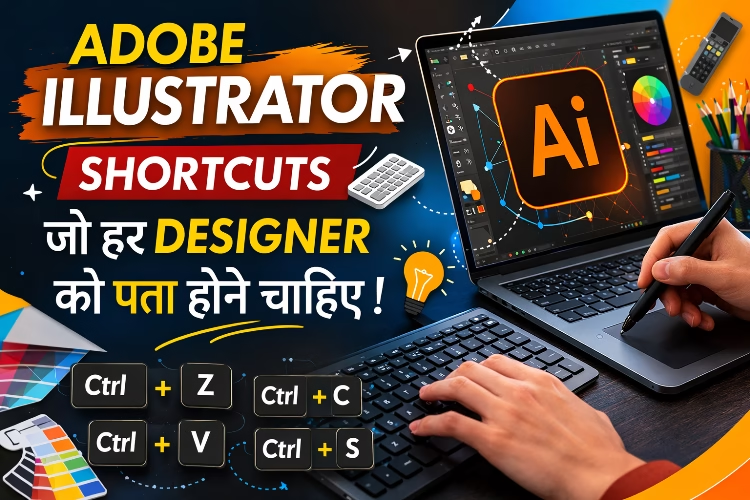
Adobe Illustrator एक powerful vector graphic design software है जिसका उपयोग Logo Design, Banner, Poster, Illustration, Social Media Graphics और Print Design बनाने के लिए किया जाता है।
अगर आप Illustrator में shortcut keys का उपयोग करते हैं, तो आपका काम 2-3 गुना तेज हो सकता है। Professional Graphic Designers ज्यादातर mouse की बजाय keyboard shortcuts का उपयोग करते हैं ताकि उनका workflow fast और efficient रहे।
इस article में हम सबसे जरूरी Adobe Illustrator shortcuts के बारे में जानेंगे जो हर designer को पता होने चाहिए।
Illustrator में कई shortcut keys मौजूद हैं जो tools, editing, view और object control करने में मदद करते हैं। Keyboard shortcuts का उपयोग करने से designer का workflow काफी fast हो जाता है।
Adobe के अनुसार Illustrator में keyboard shortcuts productivity बढ़ाने और काम को जल्दी complete करने में मदद करते हैं।
Basic Editing Shortcuts
ये सबसे ज्यादा इस्तेमाल होने वाले shortcuts हैं।
| Shortcut Key | Function |
| Ctrl + Z | Undo |
| Ctrl + Shift + Z | Redo |
| Ctrl + C | Copy |
| Ctrl + X | Cut |
| Ctrl + V | Paste |
| Ctrl + F | Paste in Front |
| Ctrl + B | Paste in Back |
ये shortcuts लगभग हर design project में उपयोग होते हैं।
Document Control Shortcuts
ये shortcuts file management के लिए उपयोग होते हैं।
| Shortcut | Function |
| Ctrl + N | New Document |
| Ctrl + O | Open File |
| Ctrl + S | Save File |
| Ctrl + Shift + S | Save As |
| Ctrl + P |
अगर आप लगातार design करते हैं तो ये shortcuts बहुत काम आते हैं।
Selection Tool Shortcuts
Illustrator में objects को select करने के लिए shortcuts बहुत जरूरी होते हैं।
| Shortcut | Tool |
| V | Selection Tool |
| A | Direct Selection Tool |
| Y | Magic Wand Tool |
| Q | Lasso Tool |
Selection tools का सही उपयोग करने से object editing आसान हो जाती है।
Drawing Tool Shortcuts
Illustrator में design बनाने के लिए drawing tools सबसे ज्यादा उपयोग होते हैं।
| Shortcut | Tool |
| P | Pen Tool |
| M | Rectangle Tool |
| L | Ellipse Tool |
| B | Paintbrush Tool |
| N | Pencil Tool |
| Shift + M | Shape Builder Tool |
Pen Tool और Shape Builder Tool graphic design में बहुत ज्यादा उपयोग होते हैं।
Transform Tool Shortcuts
Design elements को rotate, scale या transform करने के लिए ये shortcuts उपयोग होते हैं।
| Shortcut | Tool |
| R | Rotate Tool |
| S | Scale Tool |
| O | Reflect Tool |
| E | Free Transform Tool |
इन shortcuts से object editing बहुत तेज हो जाती है।
View Control Shortcuts
Design करते समय zoom और view control करना बहुत जरूरी होता है।
| Shortcut | Function |
| Ctrl + + | Zoom In |
| Ctrl + – | Zoom Out |
| Ctrl + 0 | Fit Artboard |
| Ctrl + Y | Outline Mode |
Outline mode vector design में paths देखने के लिए उपयोग होता है।
Layer और Object Shortcuts
| Shortcut | Function |
| Ctrl + G | Group |
| Ctrl + Shift + G | Ungroup |
| Ctrl + 2 | Lock Object |
| Ctrl + Alt + 2 | Unlock All |
| Ctrl + 3 | Hide Object |
ये shortcuts complex designs में बहुत काम आते हैं।
Illustrator Shortcuts क्यों जरूरी हैं?
Graphic Designers के लिए shortcuts बहुत जरूरी होते हैं क्योंकि:
- Design speed बढ़ती है
- Workflow professional बनता है
- Mouse usage कम हो जाता है
- Productivity बढ़ती है
- Large projects जल्दी complete होते हैं
Professional designers अक्सर 40-50 shortcut keys याद रखते हैं।
Conclusion
अगर आप Adobe Illustrator सीख रहे हैं, तो shortcut keys जानना बहुत जरूरी है।
Shortcuts का उपयोग करने से आपका design workflow fast, professional और efficient बन जाता है।